
Remediation automations and winget actions
Trigger automations from monitors and automate third-party app management
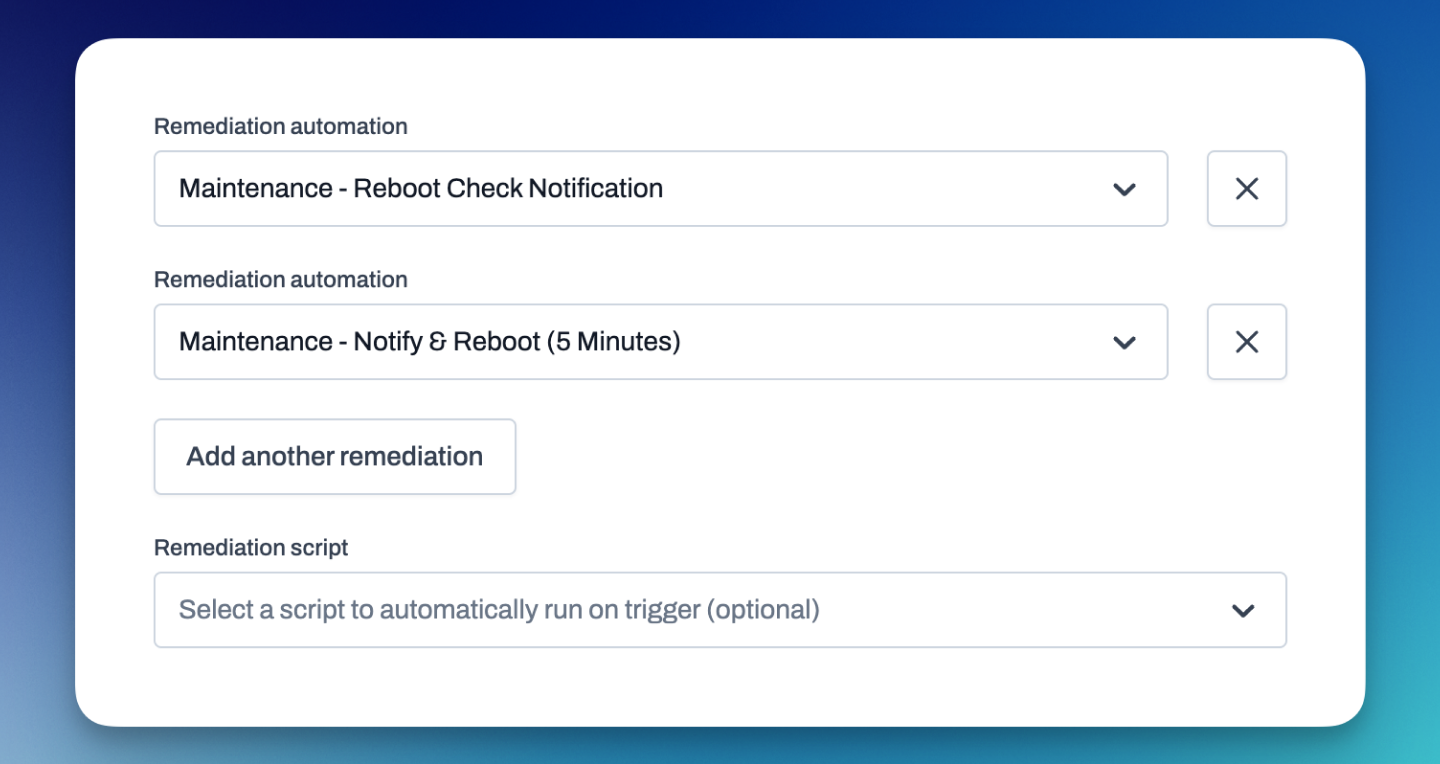
Remediation automations
We've added the ability for device monitors to trigger automations. This powerful upgrade allows users to replace traditional scripts with automated workflows for handling triggered monitor alerts, streamlining the remediation process. Using automations as a remediation enables you to fully design automated responses to device monitor alerts, enhancing efficiency and reducing downtime. For instance, when a device monitor threshold is breached, an automation can be activated to execute corrective actions such as restarting services, deploying patches, or alerting IT personnel, all seamlessly and without manual effort. With remediation automations, we empower you to create more resilient and responsive IT management strategies, ultimately improving your service reliability and operational performance.
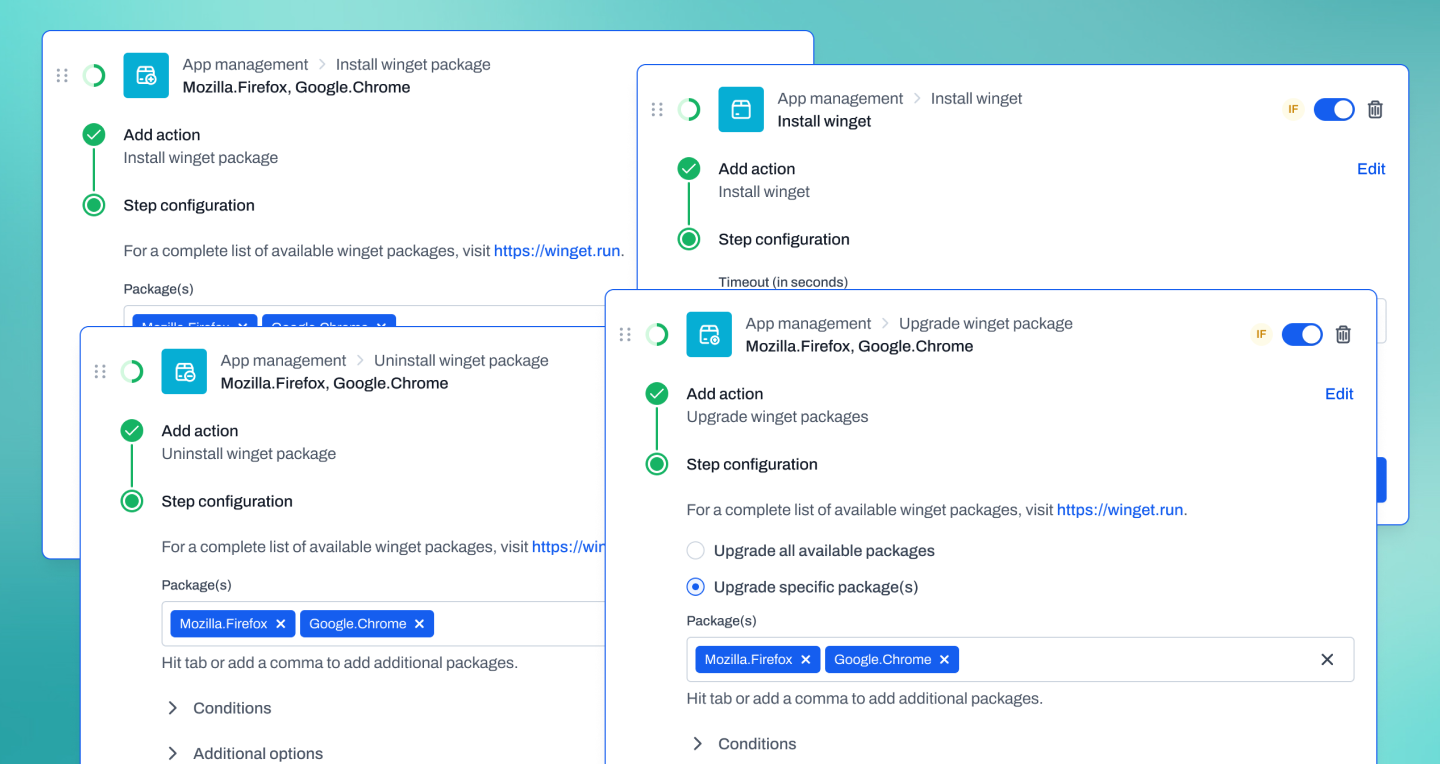
Winget actions
We are excited to announce the addition of winget actions to our automation action repertoire. This new feature allows users to manage third-party applications on Windows devices seamlessly. With the introduction of four new actions—install winget, install winget packages, uninstall winget packages, and upgrade winget packages—administrators can now automate the management of software across their Windows fleet more efficiently. Whether you need to deploy new applications, remove outdated software, or ensure all packages are up-to-date, these winget actions provide the tools to do so effortlessly. This enhancement improves upon Level's already robust automation suite, giving you greater control over application management and helping to maintain a consistent and secure software environment across all your Windows devices.
Improvements
- Reworked the scheduler used for patch policies and schedule triggers. Previously the scheduler would look for any scheduled items at the beginning of each hour and queue them up for the appropriate minute. This could cause it to appear broken if a test schedule was created to run just a few minutes in the future. The new scheduler runs every minute and will not suffer this problem.
- We've reworked our agent UUID system to remove the chance of two machines fighting for the same device record in the application. The old system used the hardware UUID from the motherboard to determine uniqueness. This was usually just fine but there were a few rare circumstances that these could collide. The new system generates a random UUID for each newly installed device and should never conflict. The system is smart enough to leave this UUID behind when the agent is reinstalled so that it doesn't create a new entry in the application.
- Our background management tools now maintain a session when switching from one tool to another. You can do work in the terminal, switch to file explorer, upload a file, and switch back to terminal without losing your location or history.
- Automations now limit how many times a device can be active in the same pipeline at the same time - once per trigger. If a device is already active in the automation from the same trigger it will be silently rejected. This can be especially helpful with scheduled triggers where a device could become stacked up multiple times if it was offline.
- The settings pages have been updated to the new design style.
- The device monitor and device monitor policy sections have been updated to the new design style. The device monitor edit panel has moved from a modal into a sidebar.
- The install instructions now include a section detailing manual installation.
- The automations section on the device page now includes a link to the automation.
- We've improved the log messages for the user approval action.
Bug fixes
- Fixed a bug with the script name in the actions sidebar that could cause the script name to be incorrect.
- Prevent triggers from being enabled on archived automations. We've always disabled any active triggers when the automation was archived. However, if you had a link to the archived automation you could manually re-enabled the triggers.
- Fix a bug that could cause the "Device Enters Group" trigger to be skipped if a device was created directly into the group. This could happen if the trigger used condition values that the device hadn't reported yet.
- We now properly sort the recent runs when looking at the trigger or action sidebars. This makes sure that you will always see the most recent.
- It turns out that some Windows browsers were engaging an energy saver feature when a remote control session remained in a unselected tab for too long. This feature caused the stream to be paused and made it appear as if the remote control had frozen. We now check for this state when selecting any tab and play the stream if it's paused.
- Improve AV false-positives related to our Windows agent installer. The installer is now a executable written purely in Go. Our previous installer was a PowerShell script wrapped with an executable which made some AV products nervous.