
Redesigned device list
The device list has been made bigger and better, in every sense of the word. The list now occupies the entire width of your browser window, giving you the freedom to show as many or as few columns of information as you would like.
The device list has been made bigger and better, in every sense of the word. The list now occupies the entire width of your browser window, giving you the freedom to show as many or as few columns of information as you would like. And now with more columns of information available to be displayed upfront, it's a better time than ever to take advantage of your full screen real estate. Tailor the information you see that matters most to your specific daily workflow.
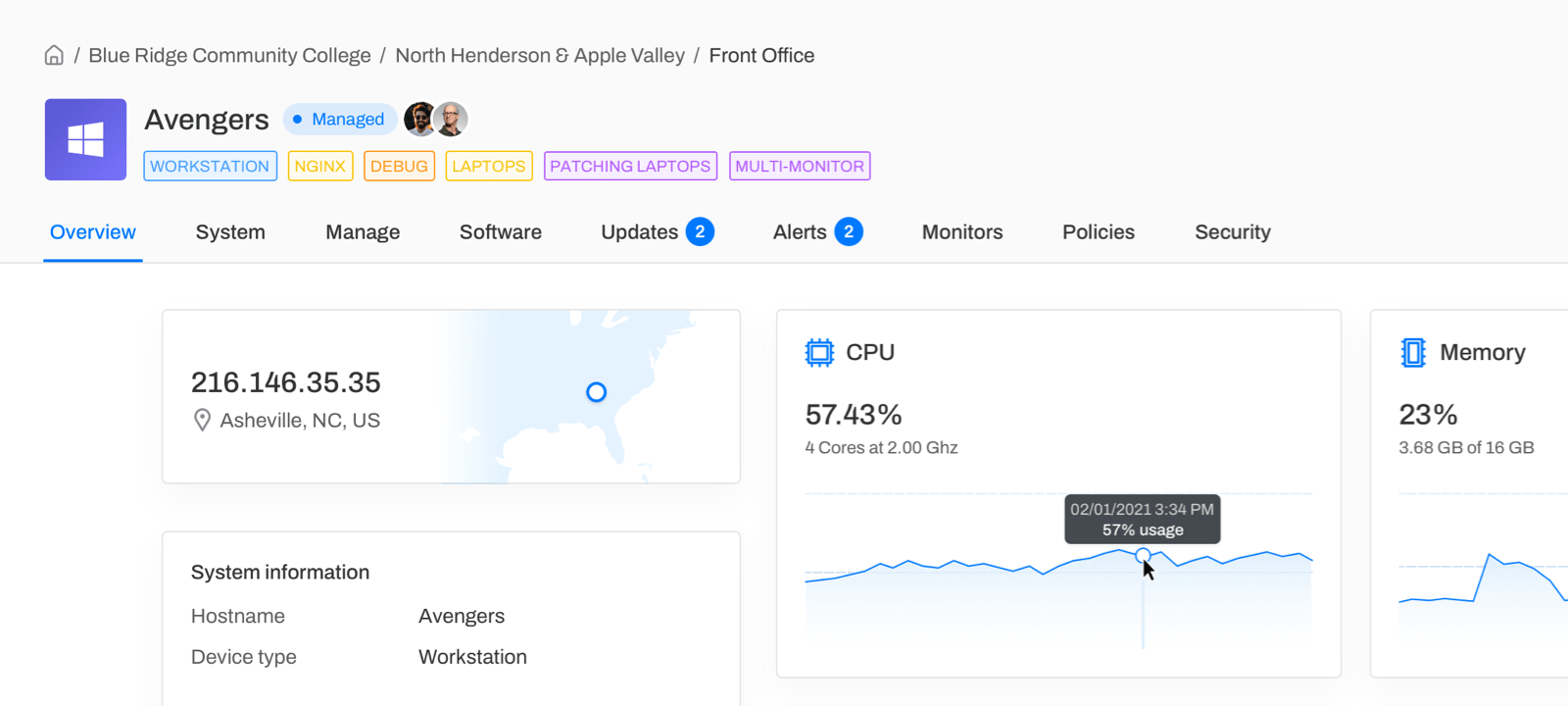
Redesigned device overview
We felt it time the device overview itself received a new look. We went ahead and improved device navigation, making it easy to access the most important pages and tools. See priority updates and active alerts at a glance, and quickly view up-to-the-minute device health information. We've also added the ability to quickly access remote access tools directly from the page header, giving you quick access to endpoints that need a more hands-on approach.
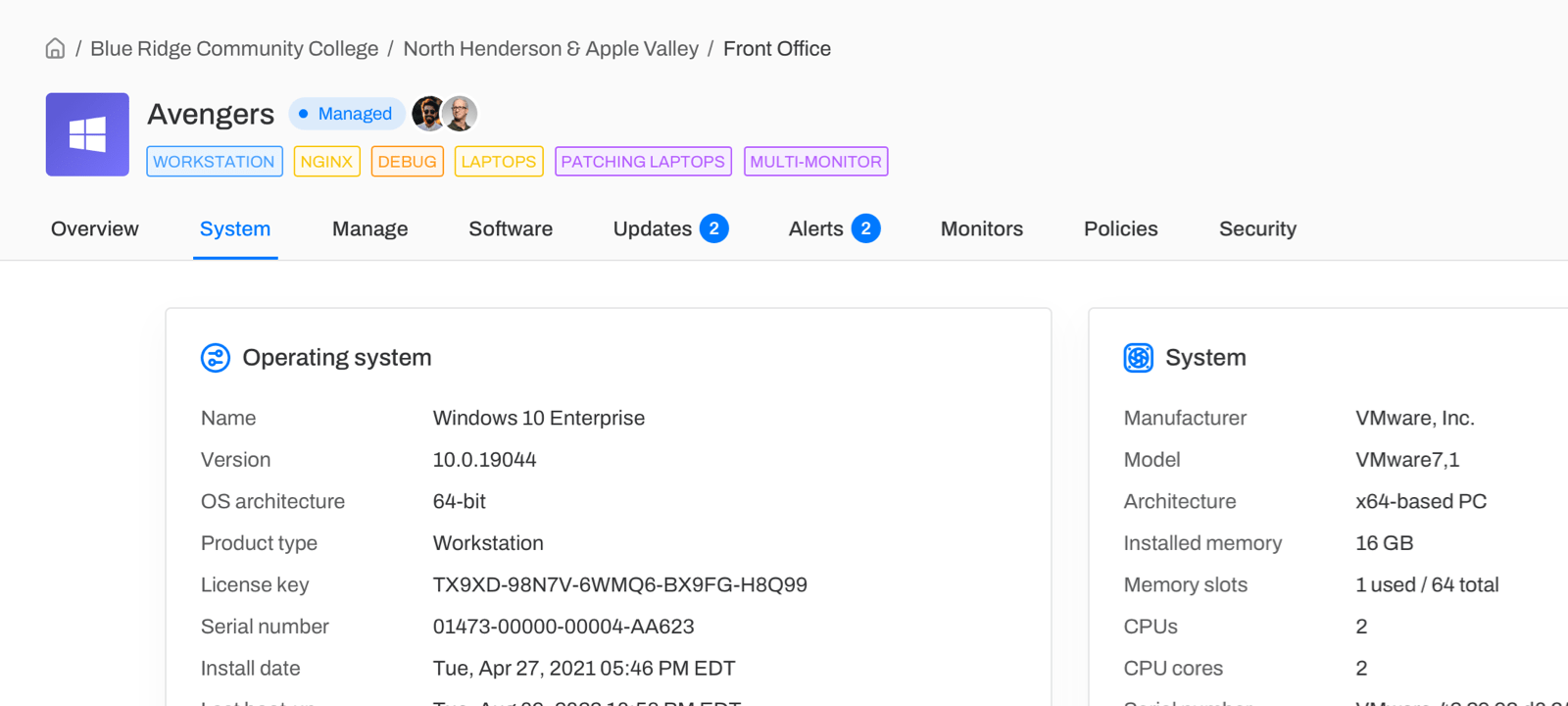
Detailed device information
Along with the device view overhaul, Level now gathers more detailed information about all your endpoints via the new System tab. A wealth of operating system and hardware information has been collected, allowing a much deeper look into each of your endpoints. We've also broke down disk information more granularly, allowing you to see individual partitions and their occupied and remaining space. We remain committed to delivering the most important information about your endpoints without the need to remotely access them directly.
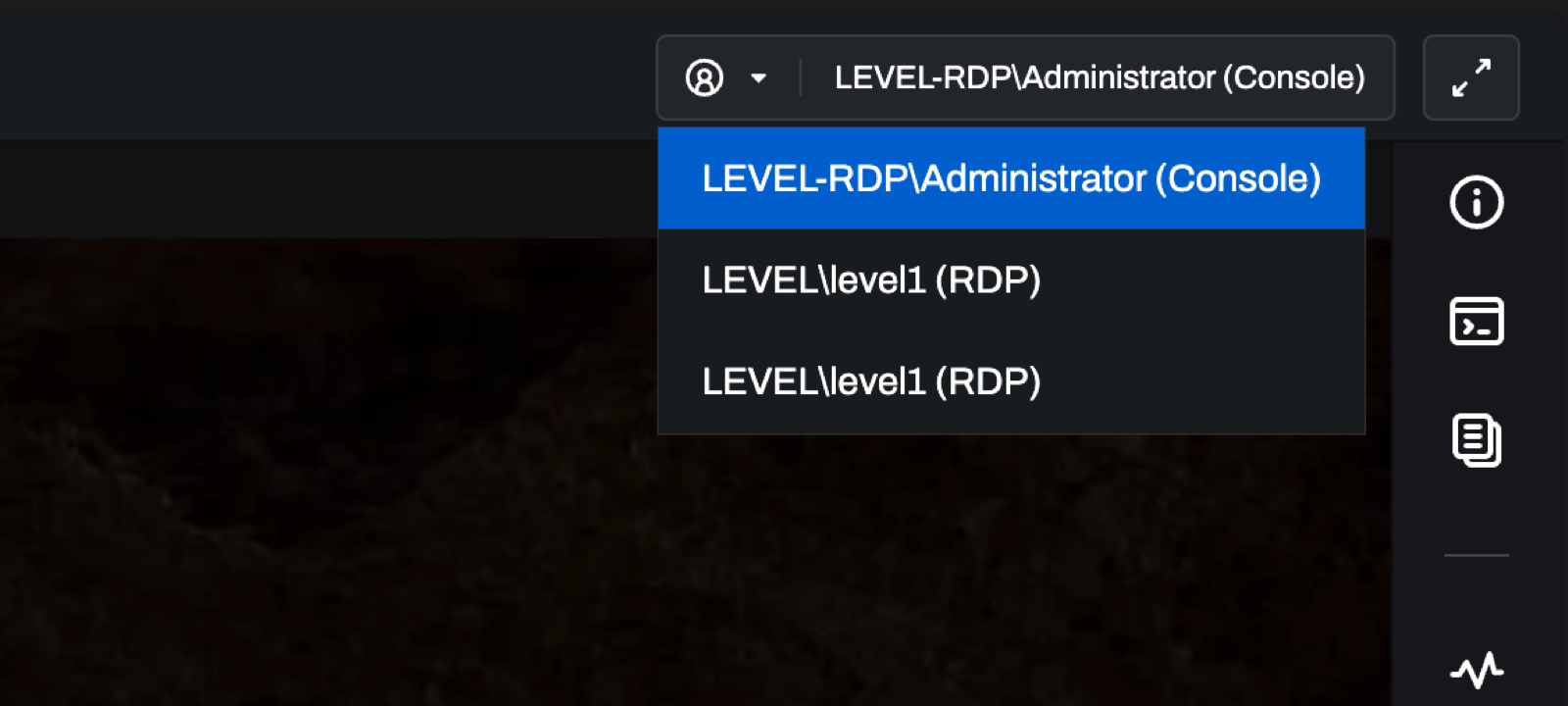
Session selection for Remote Desktop Protocol (RDP)
We’ve added session selection to remote control on Windows. Previously, you were only able to join the Console session. You can now freely switch between Console and active RDP sessions as needed. This is especially handy for organizations that have their end-users connect to virtual machines through RDP. Now they can hop into these sessions to provide better support.
Improvements
- Reduced remote control connection time by 2-3 seconds, allowing for the faster access to your devices
- Added a "watchdog" process to Windows. The process assists the Windows Service Manager in keeping the Level service running, even when the unexpected happens.
- Some processes could have missing info when the process list first loads. This information is now populated more quickly.
- Ensure that "reboot required" is properly set on Windows.
Bug fixes
- On macOS, some key combinations weren't working on international keyboards.
- Correctly display a service status even if it is in an unexpected format.
- Some key combinations could lead to an agent crash during remote control on macOS. We have reworked a lot of the input handling code.
- Fixed a bug that could cause the macOS login screen to not be streamable after a reboot.
- Fixed a Linux bug could lead to dpkg being in a bad state after an install that required a machine reboot.
- Resolved a bug that prevented Level from streaming a high dpi display when the device had mixed dpi displays.
- We now prevent users from suspending themselves. 😅
- It was possible for a "managed" session to get out of sync and remain in the UI even after the session has ended. Added a timeout and monitor that will clean these up after a couple of minutes with no activity.
- Reducing a device's resolution during a remote control session could lead to mouse offset until the page was refreshed. We now properly recalculate the mouse coordinates.
- Moving a device into a subgroup while in the parent group caused a loading spinner that spun forever. Removed the loading spinner when the device wasn't going anywhere.
- Changed "Last Seen At" to show "Now" for online devices. Previously it was showing a specific timestamp, that's not accurate because we have a constant socket open to online machines.