
Introducing webhook triggers and new actions
Unlock new Webhook Triggers and User Actions to streamline your IT automation processes.
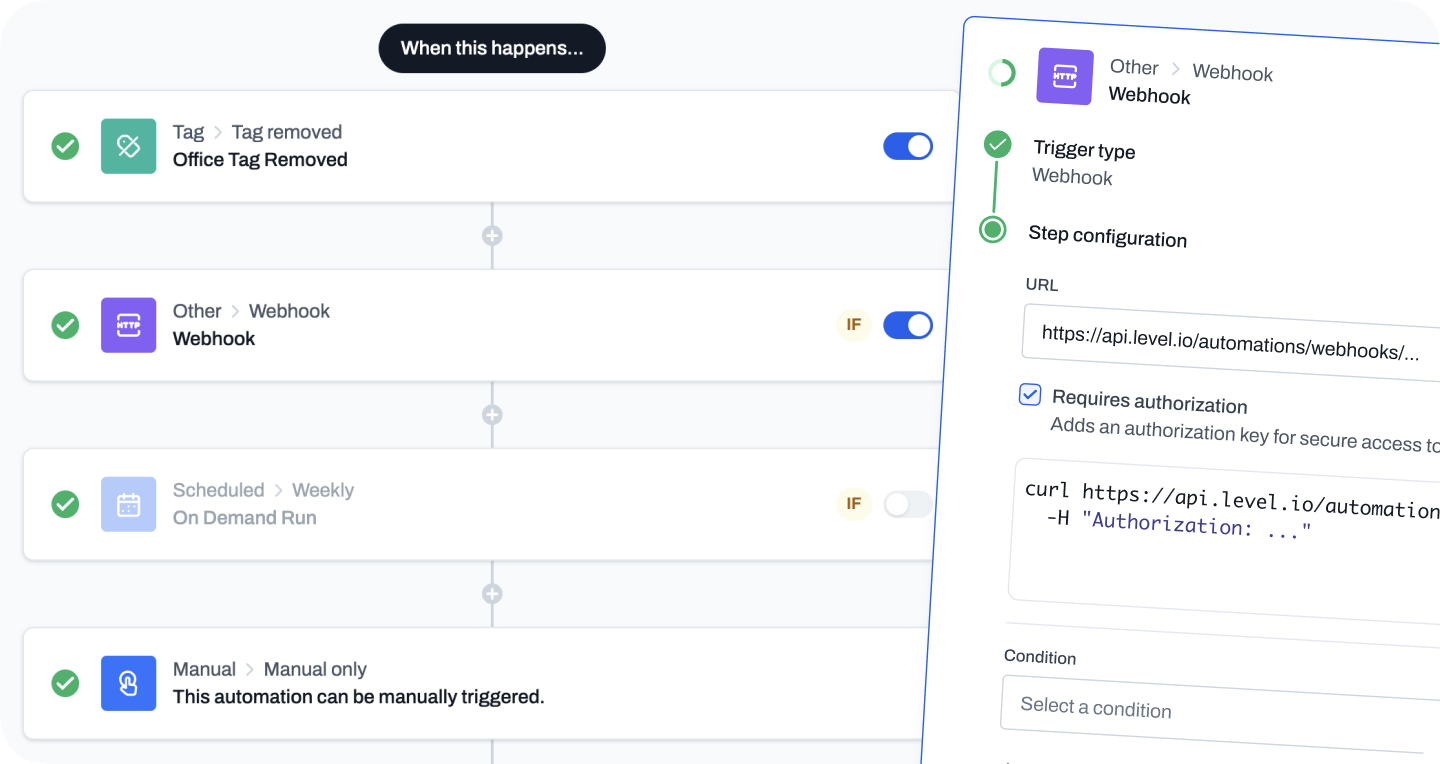
Webhook trigger
We are thrilled to introduce a new trigger type in our automation platform: the Webhook trigger. This new feature enhances automation usage by allowing it to receive real-time data from external sources via HTTP requests, enabling automation triggering based on events from external systems like monitoring tools, CRM systems, or cloud services.Webhook triggers provide the capability for event-driven automations, dramatically improving response times and operational efficiency. For instance, an alert from a helpdesk software can immediately initiate diagnostic or remediation actions in Level, seamlessly integrating IT management with business processes.With detailed logging for webhook activities, Level ensures that your automation workflows are both effective and reliable. This new feature expands our platform’s automation capabilities, empowering you to build more interconnected and responsive IT management solutions.
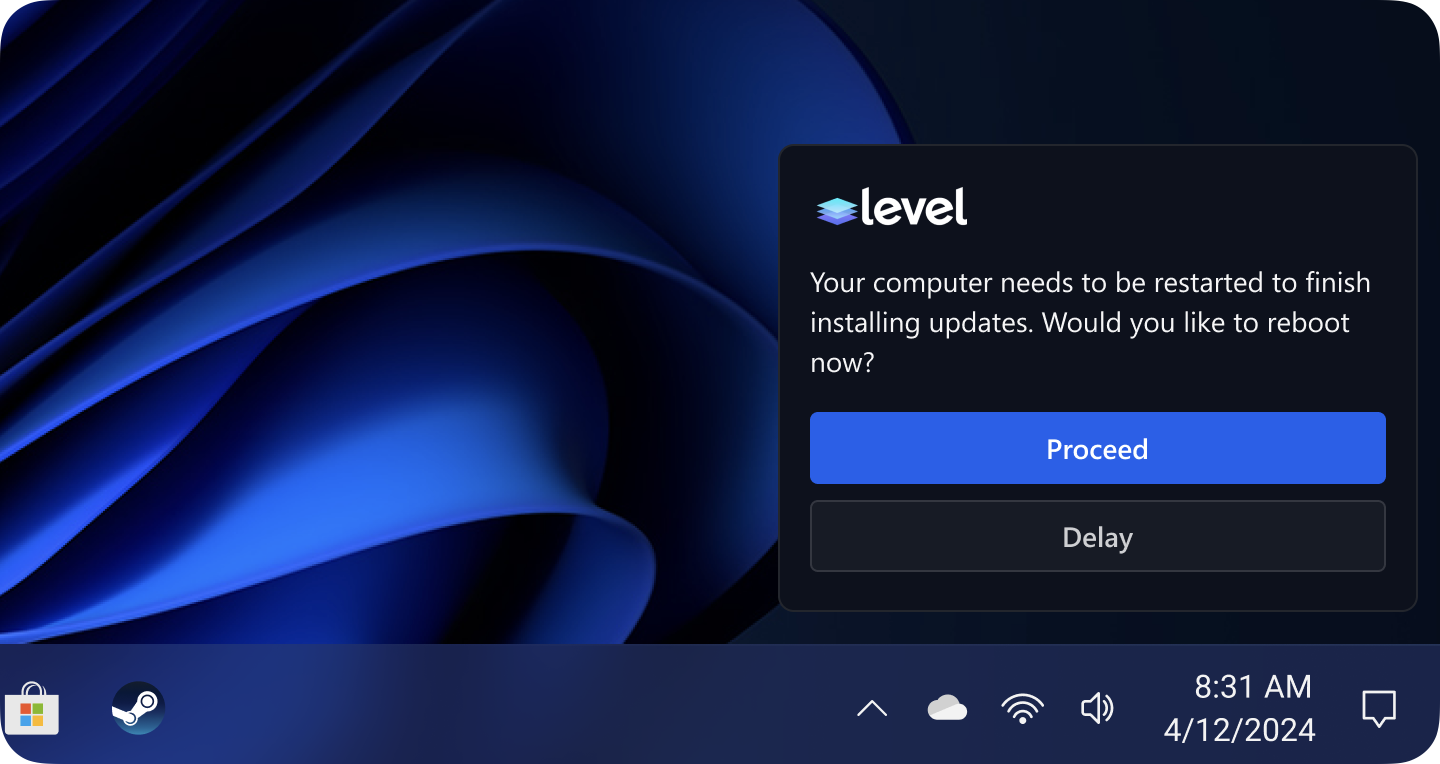
User Approval action
We are also excited to add a new User Approval action. This feature introduces an essential layer of interaction by requiring end-user approval for certain automation events. This new capability ensures that actions that are sensitive or impactful can be validated by the actual users before execution, aligning automated IT management processes more closely with individual user needs and compliance requirements. The User Approval action allows for a dynamic and flexible approach to automation. End-users receive notifications to approve or delay actions, empowering them to have control over the changes affecting their systems. If necessary, IT administrators retain the ability to override the user decision after a specified number of attempts, ensuring that essential actions can be enforced for security or operational continuity. This feature is designed to bridge the gap between automated operations and user oversight, providing a balance between efficiency and control. The introduction of user approvals into automations will not only enhance security protocols but also foster a more interactive and responsible environment for managing IT resources.
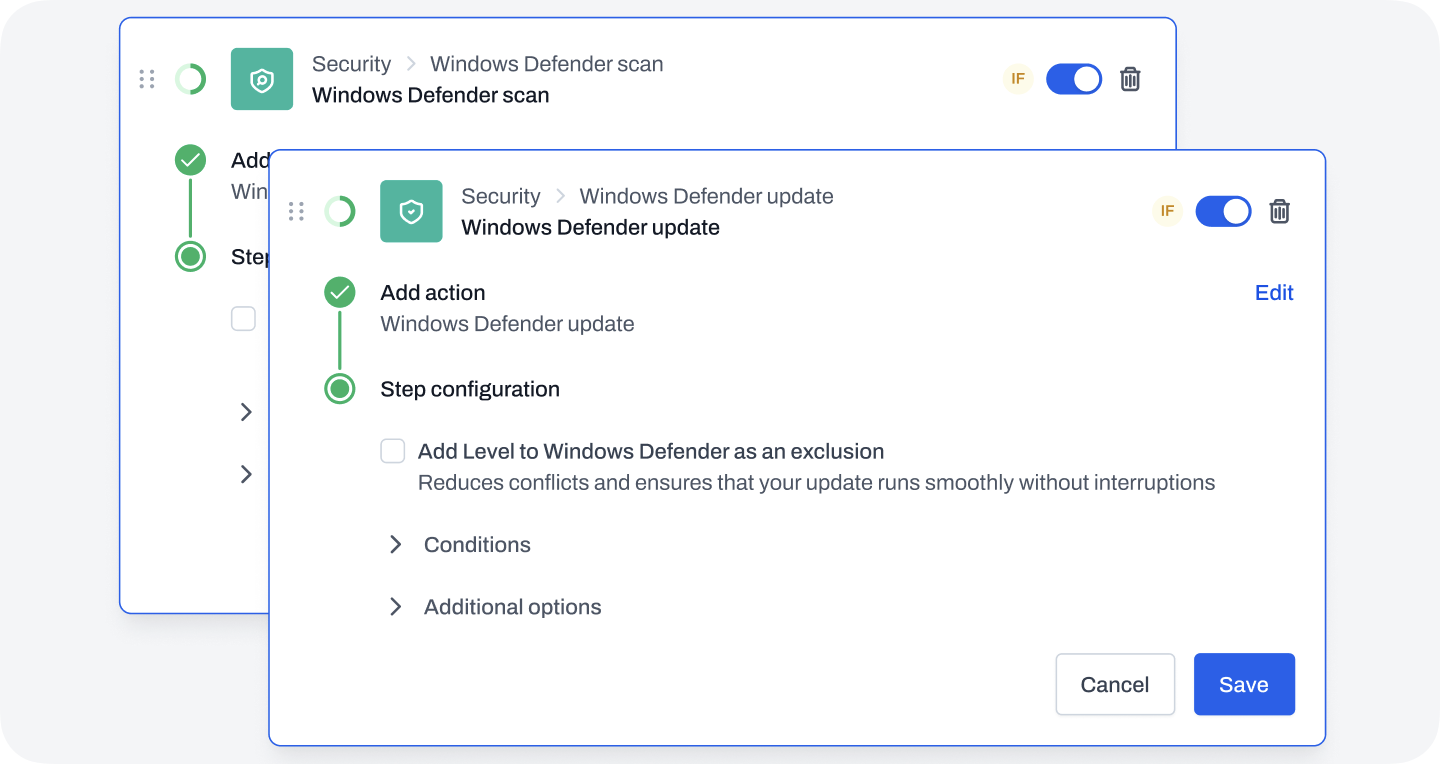
Windows Defender Scan and Update actions
Lastly, we are adding in two new powerful actions: Windows Defender scan and Windows Defender update. These actions enhance the security capabilities of your automations by integrating directly with Windows Defender, the leading anti-malware component of Microsoft Windows. The Windows Defender scan action allows you to automate the process of running malware scans across your managed devices, ensuring that security checks are both regular and thorough. This helps maintain high levels of protection against malware, viruses, and other threats without manual intervention. On the other hand, the Windows Defender update action automates the updating of Windows Defender’s security intelligence, keeping your systems up-to-date with the latest definitions and ensuring optimal defense against new threats. Together, these actions simplify the management of device security in an increasingly complex threat landscape. By automating both the scanning for and updating of security threats, Level empowers IT administrators to ensure that all managed devices are both protected and compliant with the latest security standards, streamlining security operations and enhancing overall system integrity.
Improvements
- You can now grant permission to manage automations to non-admin roles.
- The tags list on a device will now stay updated in realtime as tags are added or removed by automations.
- We now allow you to hide pesky driver updates that you have no intention of installing. This will instruct the Windows Update Agent to hide them and they will be removed from Level.
- We've improved clarity regarding which devices a trigger will run. You must now select "All devices" if you don't want to add any conditions.
- You can now control the built-in tagging of "WORKSTATION" or "SERVER". Previously this happened behind the scenes and nothing could be done to stop or change it. We've now published this behavior to an automation in your account called "Default Tags". This automation can be changed or modified to achieve your desired tagging behavior.
- It's now possible to cancel all automation runs in a single step.
- The tag triggers and actions now allow you to create a tag from the automation screen.
- We now always show the action/trigger type above the name. This allows you to change the name of the action/trigger without losing track of what it does.
Bug fixes
- If a script was being used in hundreds of monitors, it could take a significant amount of time to save changes to it. Publishing the changes to the device now happens in the background and the script should save significantly faster.
- Fixed a pagination bug that could cause the automation history page to get locked to ten results at a time.
- Make sure the group hierarchy is checked when modifying group conditions.
- Resolved a bug that could sometimes caused Mac and Linux agents to hang for up to ten minutes when applying an agent auto-update.