
All of the security, everywhere
We've added SSO for simplified access, visibility into local users across all devices, and KB exclusions to block problematic Windows updates.
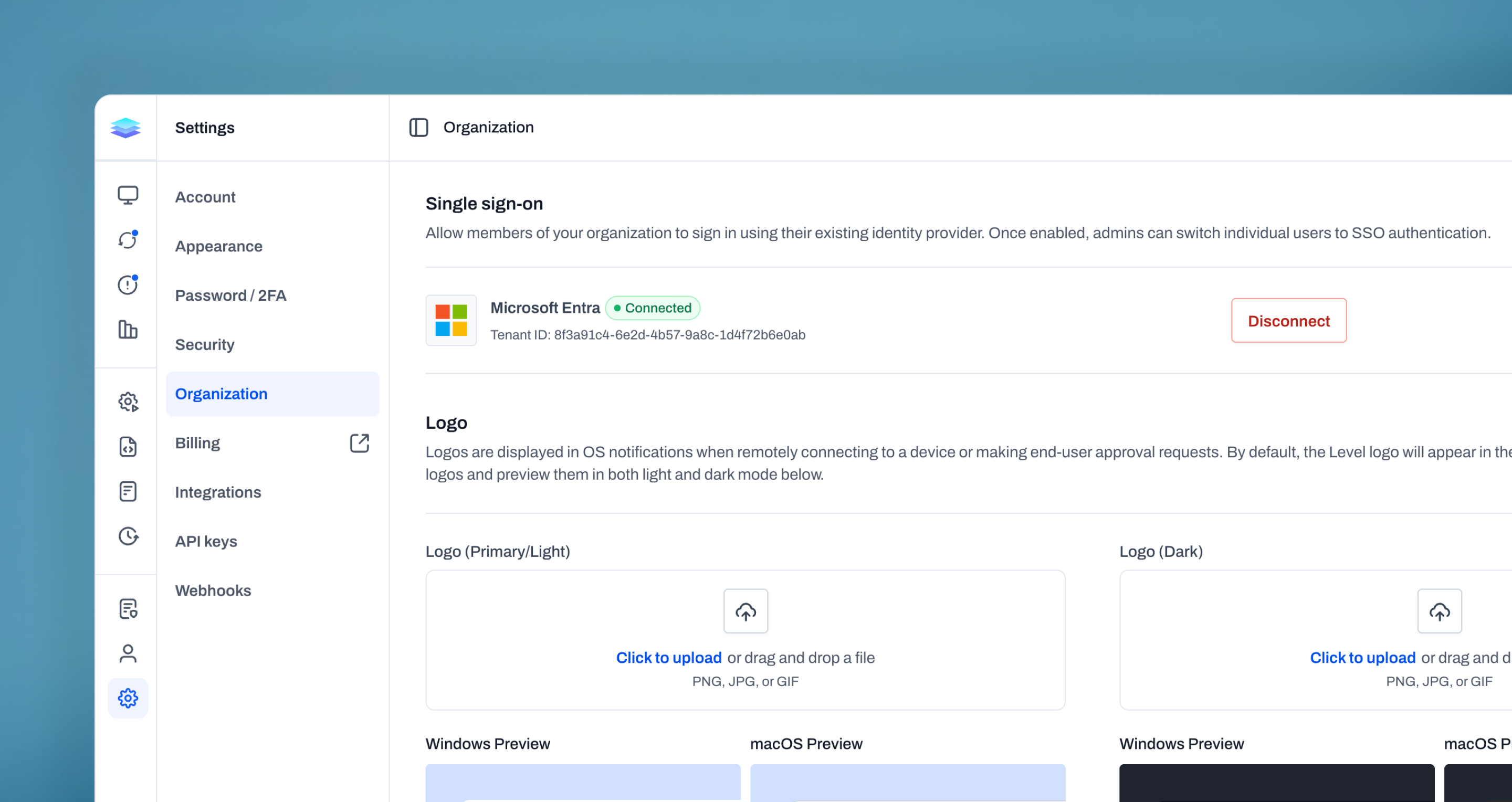
Single-Sign On (SSO)
We’re excited to introduce Single Sign-On (SSO), making it easier than ever for your team to access Level using your existing identity provider. With support for Microsoft Entra, users can sign in with their organization’s credentials, eliminating the need to manage separate passwords. SSO can be enabled at any time, and existing users can be transitioned seamlessly without creating new accounts. Admins have full control over who uses SSO and can switch users between authentication methods as needed. Once set up, users can log in quickly and securely through a familiar sign-in experience, reducing friction while improving overall account security. With SSO, you get a simpler login experience and security across your organization.
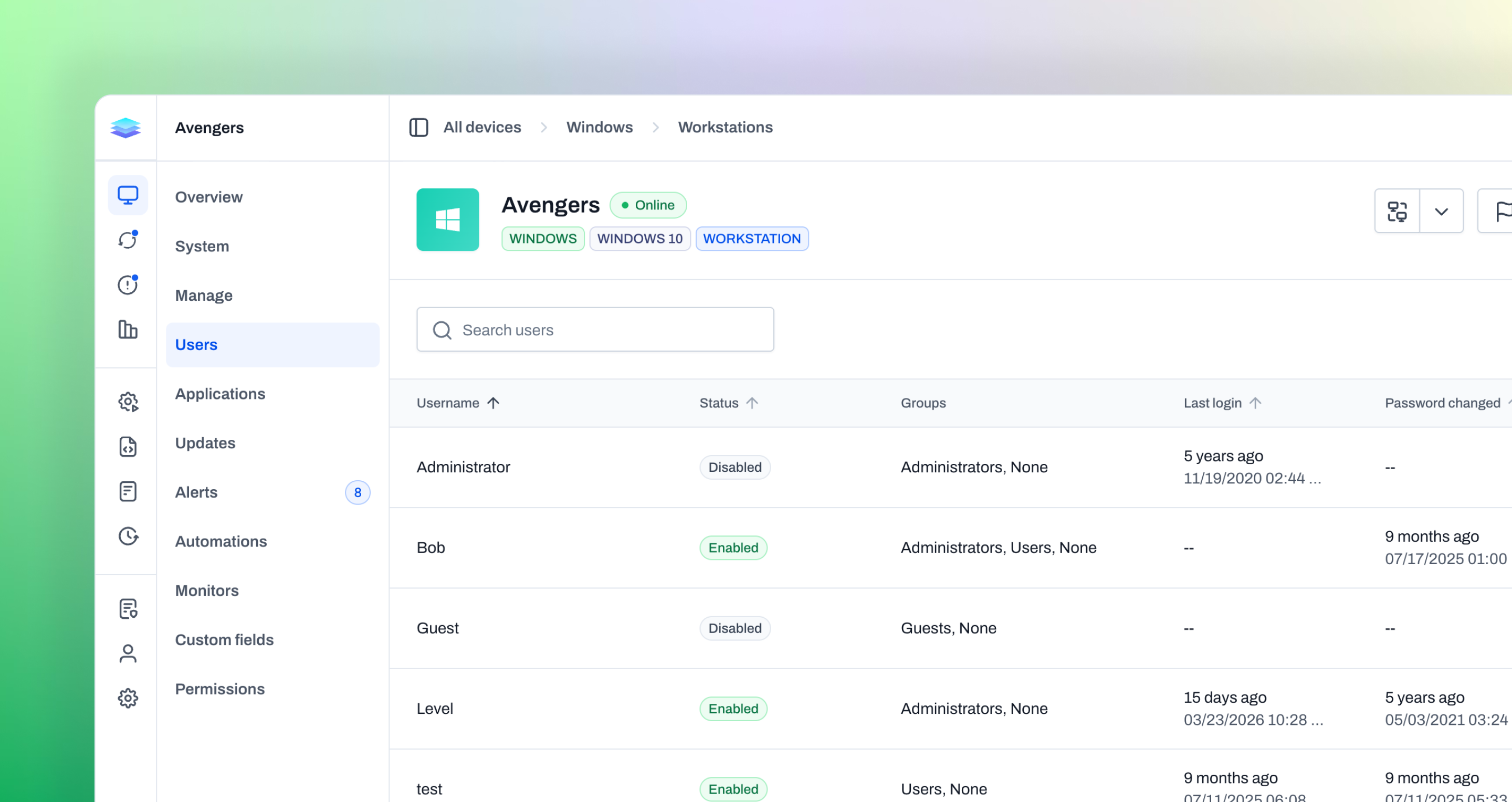
Local User Visibility
We’ve added the ability to view local users across all devices, no matter the operating system. You can now see a full list of users on each device, along with key details like status, group membership, and last login. This makes it easier to understand who has access to your endpoints and quickly spot inactive, outdated, or unauthorized accounts. Whether you're auditing access or troubleshooting user-related issues, everything you need is now in one place. With better visibility into local users, you can manage access more confidently and maintain a cleaner, more secure environment.
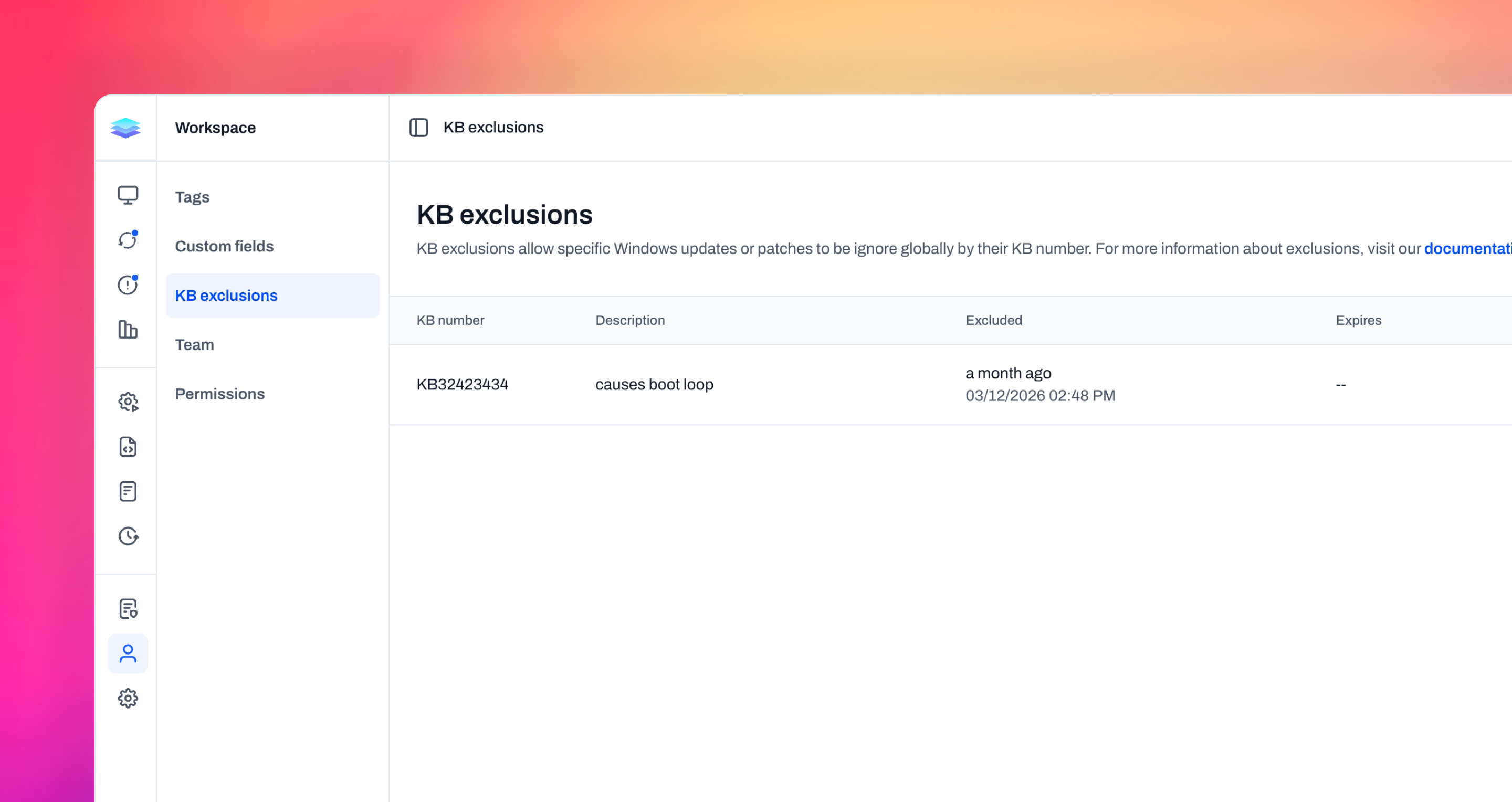
KB Exclusions
We’ve added the ability to block Windows updates by KB, giving you more control over what gets installed across your environment. You can now create a global list of KB exclusions to prevent known problematic updates from being deployed. Each exclusion can include a description and optional expiration, making it easy to track why a specific update was blocked and when it should be revisited. This is especially useful when Microsoft releases a patch that causes issues and needs to be temporarily held back. With KB exclusions, you can respond quickly to problematic updates, avoid widespread disruption, and maintain stability across your devices while waiting for fixes or validation.
Improvements
- API keys now support read-only and read-write permission levels, giving you more granular control over what integrations can do with your Level data.
- When an automation fails partway through, you can now retry it from the exact step that failed instead of re-running the entire automation.
- Custom fields now show whether they're actively being used by automations or devices, helping you clean up unused fields.
- Automation schedules now respect timezone settings so scheduled automations run at the correct local time and work with daylight savings time.
- You can now configure an inactivity timeout that automatically logs users out after a period of inactivity. Useful for organizations with compliance requirements around idle sessions.
- Alert payloads for Event Log monitors now include the actual event message content for faster triage.
- Tags now support a description field so you can document what each tag is for.
- The script search now includes filters for specific shells.
- Added integration support for ilert incident management.
- Shell actions now normalize line endings across platforms.
- The public API now exposes the last_seen_at timestamp on devices.
- The public API device endpoint now exposes the security information for a device (AV, firewall, etc) when the include_security parameter is provided.
- ConnectWise tickets now include the Level external ID and alert ID for better cross-referencing.
Bug fixes
- macOS Tahoe (26.x) was not being detected correctly as a supported OS version.
- Fixed an issue where an invalid encryption key reported by the agent could prevent other device properties from being saved.
- Remote control copy/paste no longer fails on non-Latin keyboard layouts (e.g. German, French).
- The agent could incorrectly detect a connection inconsistency and restart itself after the system resumed from sleep or hibernation.
- On systems with slow process enumeration, a deadlock during process cleanup could block agent startup.
- macOS notifications now appear correctly on the login screen.
- The download action was using incorrect file paths in some cases.
- The brew services command now works correctly on macOS. Previously it failed because the Level brew wrapper didn't handle commands that require sudo.
- The restart action no longer incorrectly reports progress when using the user approval flow.
- Enabling BitLocker on all fixed partitions no longer fails on OEM recovery partitions that have a drive letter assigned. These partitions are now skipped gracefully.
- Resolved a crash that prevented agent installation on M5 Pro/Max Apple Silicon Macs.
- Cancelled file downloads on Windows could leave files locked because the download handler blocked indefinitely, preventing cleanup from running.
- User approval-based actions, including the restart action, relied on OS uptime to calculate remaining display time. On some devices, this counter could jump forward unexpectedly, causing the action to time out prematurely. The agent now tracks its own uptime instead.
- System variables now render properly in Send Email/SMS action messages.
- Dark mode is now correctly applied during remote control sessions.
- Table selections are no longer lost when searching. Previously, a subscription refetch would reset the selection even though the underlying data hadn't changed.
- Monitor errors were not being cleared when a device was placed into maintenance mode. They are now removed automatically and will return if the issue persists once maintenance mode is turned off.
- Android IME key events now work correctly in remote control.
- Report exports now render correctly in Firefox.
- Report exports now render correctly in dark mode. Previously, dark mode styles bled into the exported image.