
OIDC SSO and Pacman support
We've added OIDC SSO support for flexible identity provider integration and introduced Pacman package management for Linux devices.
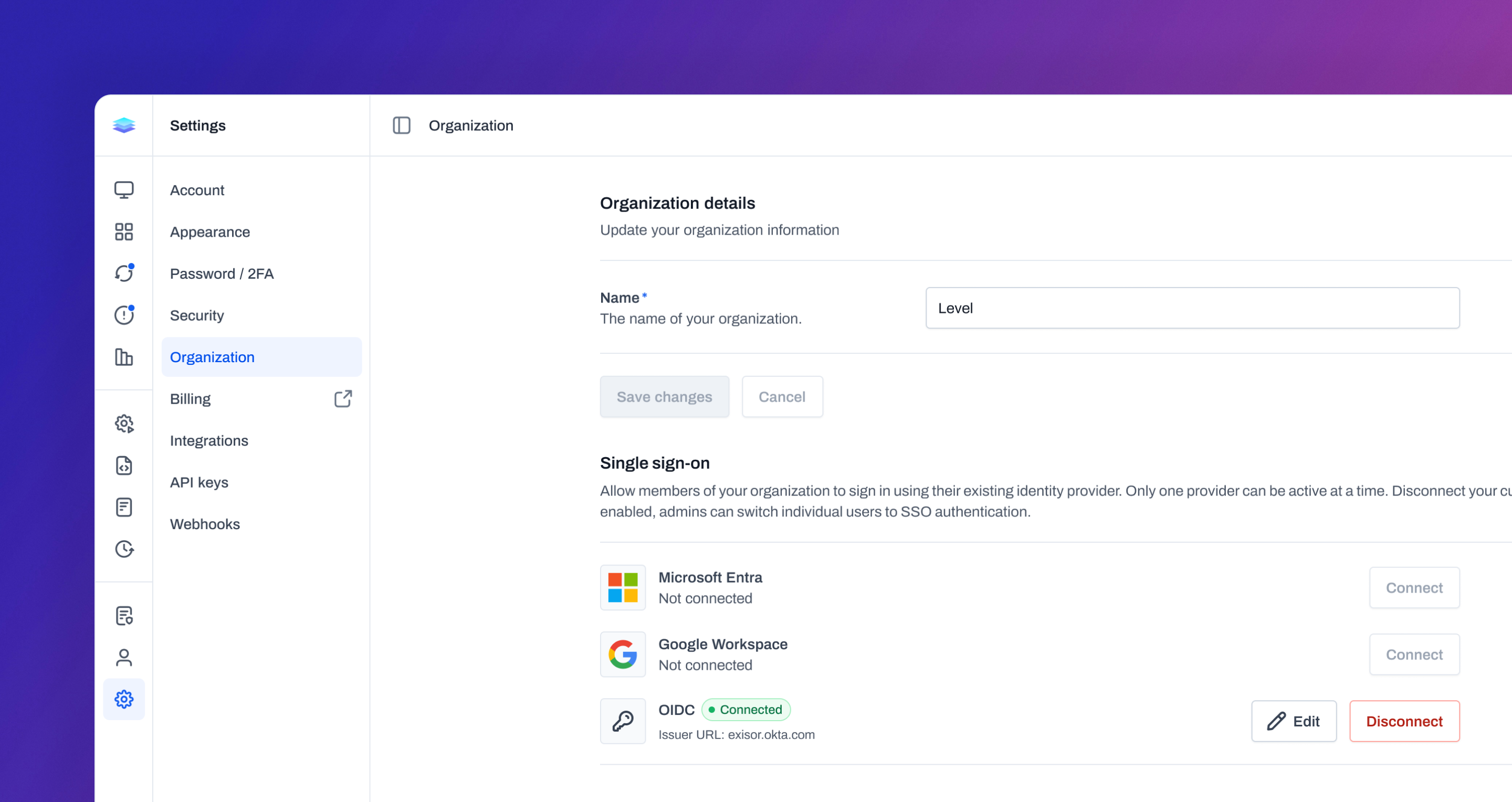
OIDC Single Sign-On (SSO)
We’ve expanded Single Sign-On support even further with OpenID Connect (OIDC), allowing you to connect Level to virtually any compatible identity provider. This gives your organization the flexibility to use the authentication platform that best fits your environment and existing workflows. Admins can configure OIDC-based SSO directly within Level and provide users with a familiar, centralized sign-in experience. Existing users can still be transitioned seamlessly without creating new accounts, helping simplify onboarding and access management. With OIDC support, Level becomes even easier to integrate into modern identity ecosystems while maintaining secure, streamlined authentication across your organization.
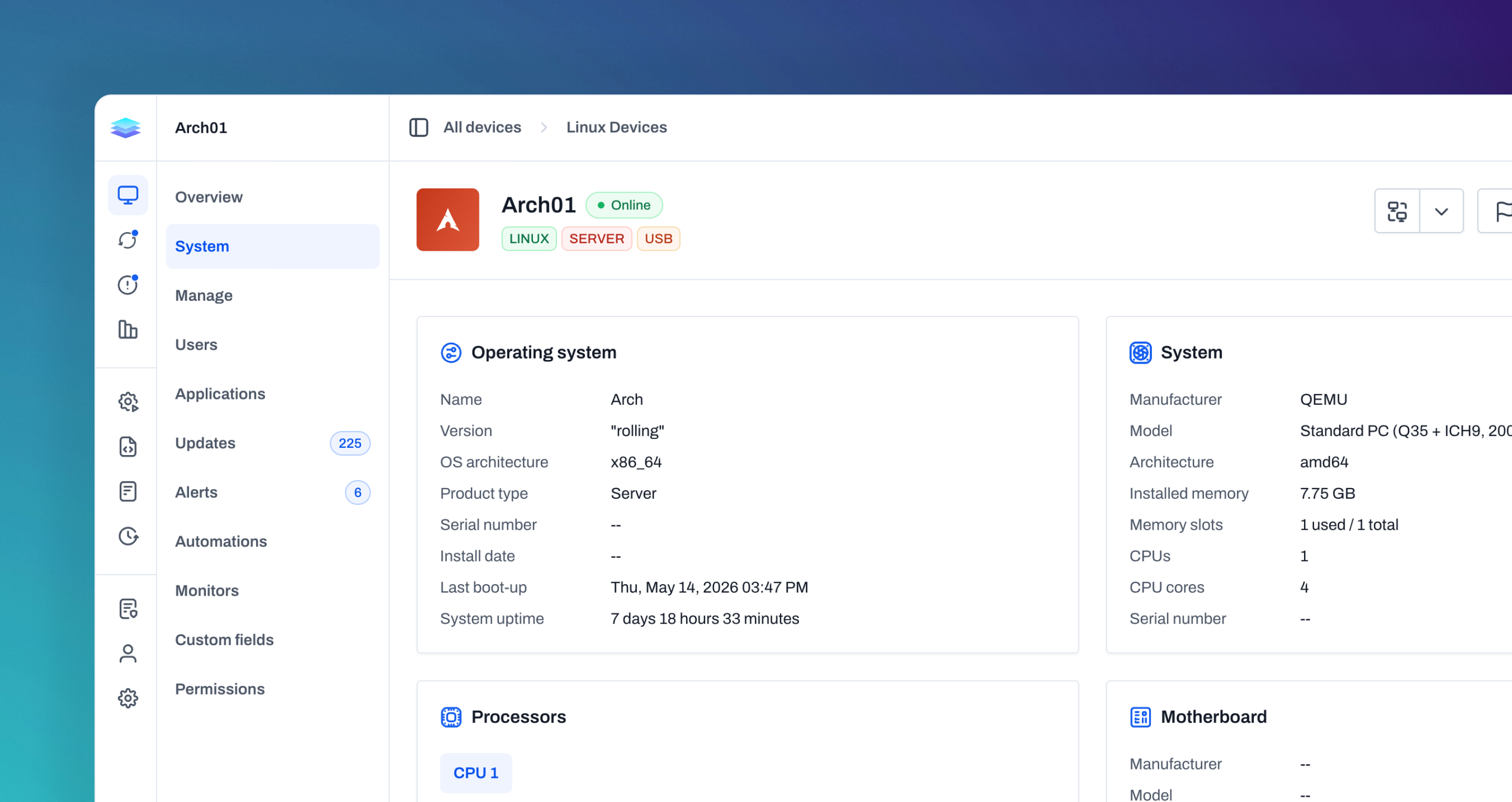
Pacman support
We’ve added support for Pacman package management on Linux devices, bringing native compatibility to Arch-based systems. You can now install, uninstall, and manage packages directly through Level without relying on custom scripts or manual terminal work. Alongside package management, Level can now detect installed Pacman packages, identify available updates, and support common maintenance operations like auto-removal, cache cleanup, stale lock recovery, and reboot detection. With Pacman support, Linux device management becomes more consistent and streamlined across your environment, giving you deeper control over Arch-based systems directly within Level.
Improvements
- The public API now exposes update records, making it possible to list and retrieve update metadata, availability, device context, and timestamps outside the app.
- Alerts can now be exported to CSV from the resolved alert tables.
- Alert severity sorting now follows severity order instead of sorting alphabetically.
- New automations can now start with either a trigger or an action, making it easier to build the workflow in the order that matches the task.
- Script editors, payload cells, update logs, and automation step logs now support expanded viewing for long scripts and output.
- Sidebars and long navigation areas now scroll more consistently across Devices, Automations, Scripts, and Settings.
- Copy actions in code, payload, and detail views now show clearer confirmation near the control being used.
- Automation step icons have been refreshed, and disabled actions are easier to distinguish.
- Time inputs have been improved for clearer entry and validation.
- Downloaded automation step output now includes timestamps.
- Windows update actions now detect rollback and partial-failure cases more reliably and attempt more targeted repairs.
- BitLocker actions now try to initialize TPM automatically when TPM is present but not ready.
- Bulk actions now show clearer loading states while resolving alerts, rerunning automations, exporting CSVs, and ending processes.
- Resolved alerts can be filtered by resolution date.
- You can now create and insert variables directly from variable-enabled fields, without leaving the form you’re editing.
Bug fixes
- Automation active-run sorting now reflects current run counts more accurately.
- Device pages no longer hide Applications, Users, Automations, or Monitors behind unrelated permissions.
- The support widget now loads more consistently.
- Remote control now recovers more reliably after stream errors, including cases around device session changes.
- Remote file uploads now handle multiple dragged files more reliably.
- Background management sessions now recover more cleanly when connection startup fails, instead of leaving the page stuck in a starting state.
- Fixed a regression in Windows last logged-in user detection.
- Windows firewall profile detection failures no longer cause the entire security score check to fail.
- User approval actions no longer loop indefinitely if the forced-approval prompt cannot return an answer.
- Fixed an issue where the Restart now action after installing updates could reference the wrong or missing device.