
Improvements app-wide
We've added enhanced monitoring, Linux package management, script access controls, file repository organization, and more.
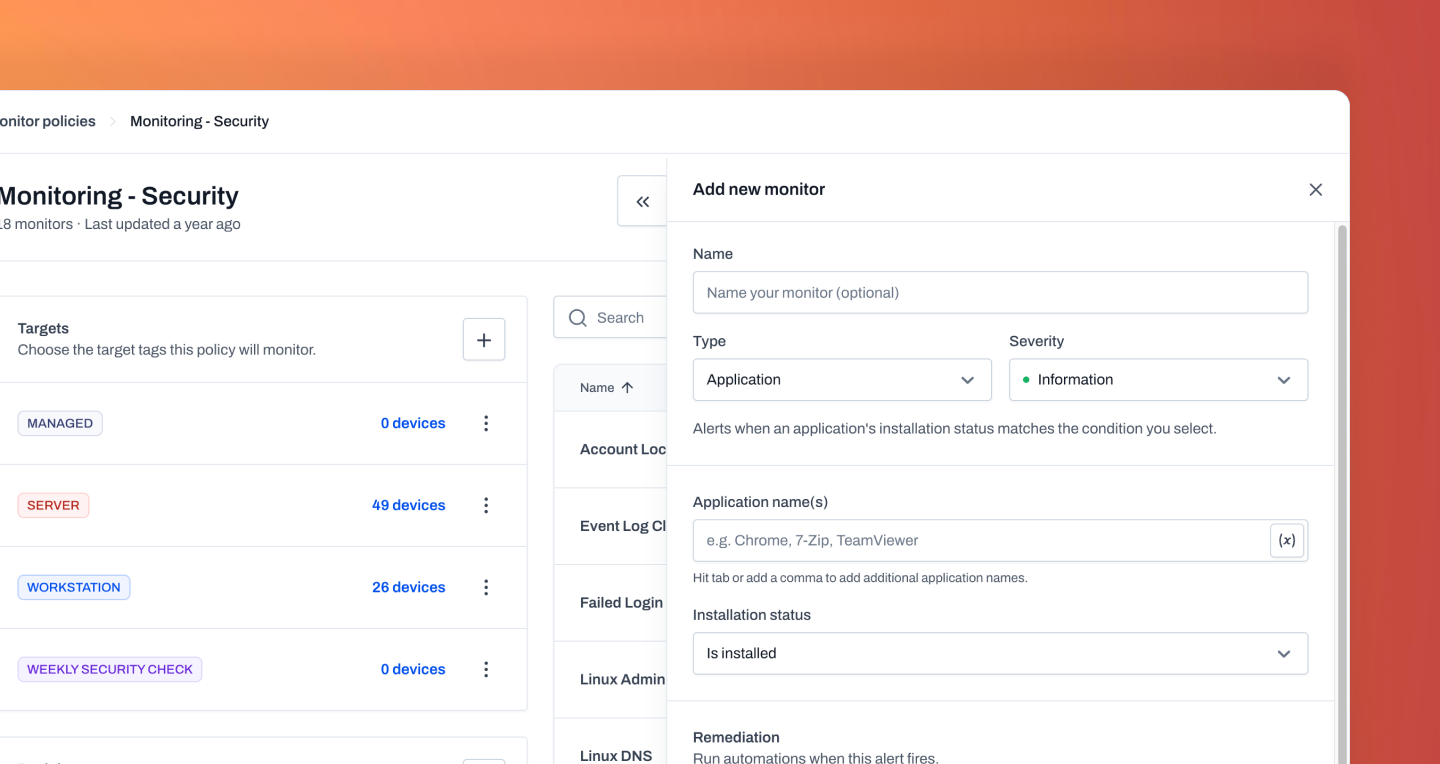
Expanded monitors
We've significantly expanded monitoring capabilities with 23 available monitors that can be added to monitor policies. This gives administrators greater visibility into device health, performance, and operational status across their environment, helping identify issues before they impact users. The new monitors integrate directly into existing monitor policies, making it easy to extend your current monitoring strategy without changing workflows or creating additional policies. These additions provide broader coverage across your managed devices and create more opportunities for proactive issue detection.
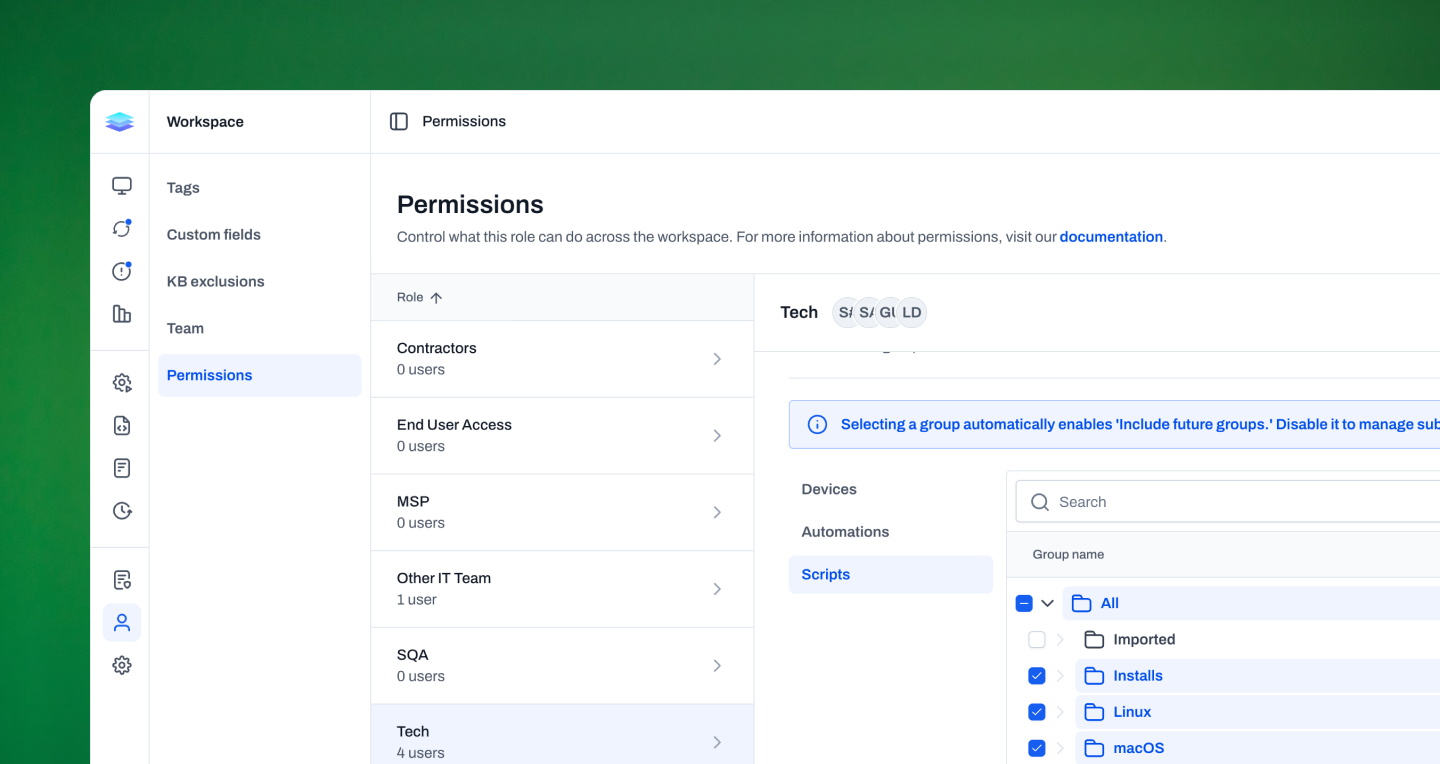
Script group permissions
We've expanded role-based access controls to include Script Group Permissions, giving administrators more granular control over who can access and manage scripts within Level. Similar to existing permissions for device groups and automation groups, script group permissions allow roles to be assigned access to specific script groups. This makes it easier to organize scripts by team, customer, or function while ensuring users only have access to the resources they need. The result is a more flexible permission model that scales alongside larger teams and more complex environments.
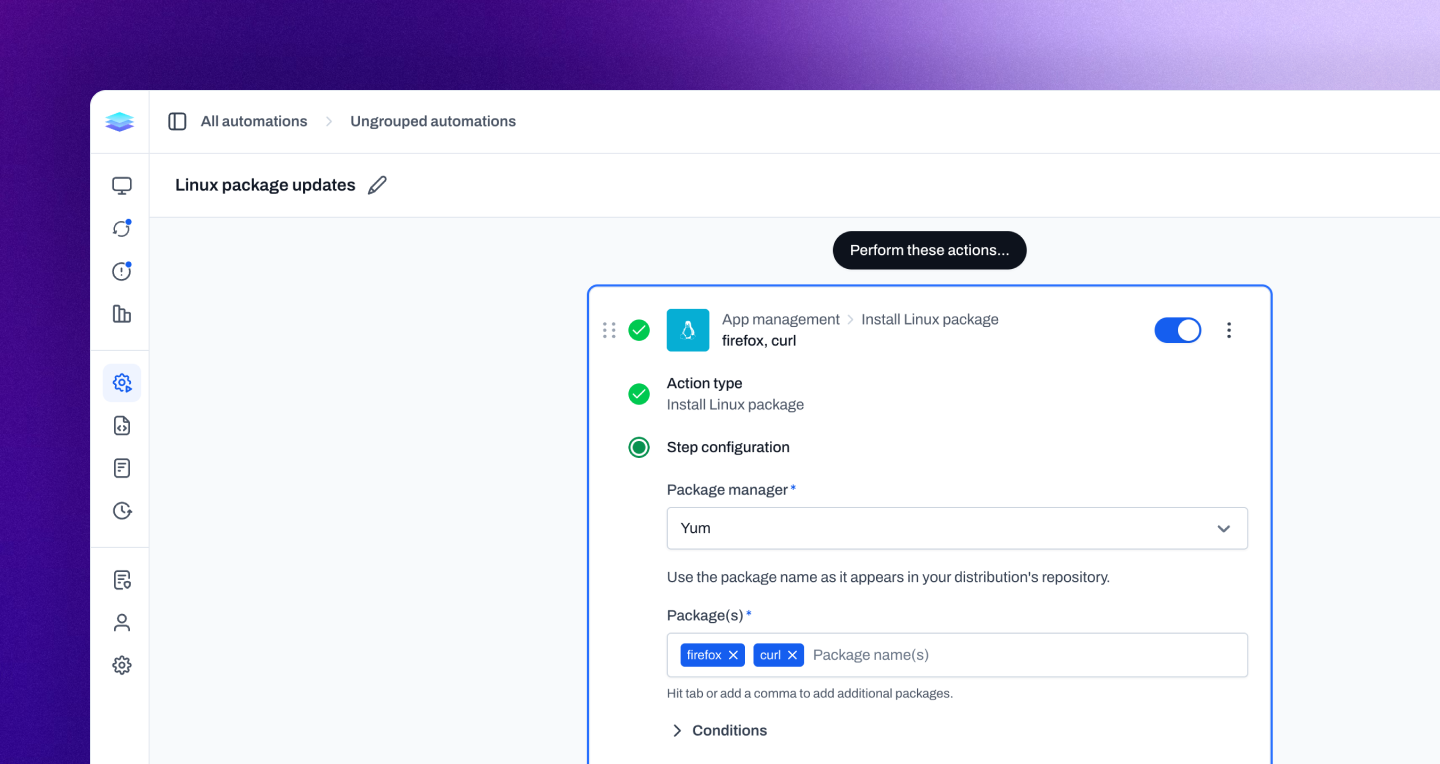
Linux package management
We've expanded Linux management with native support for package installation, upgrades, and removal across multiple Linux package managers. Administrators can now manage software directly through automations using APT, YUM, Snap, Flatpak, Pacman, and native Linux package management. Three new automation actions—Install Linux Package, Upgrade Linux Package, and Uninstall Linux Package—make it easy to deploy software, keep systems up to date, and remove unwanted packages without relying on custom scripts or manual intervention. This brings Linux software management closer to the same streamlined experience already available across the rest of the platform.
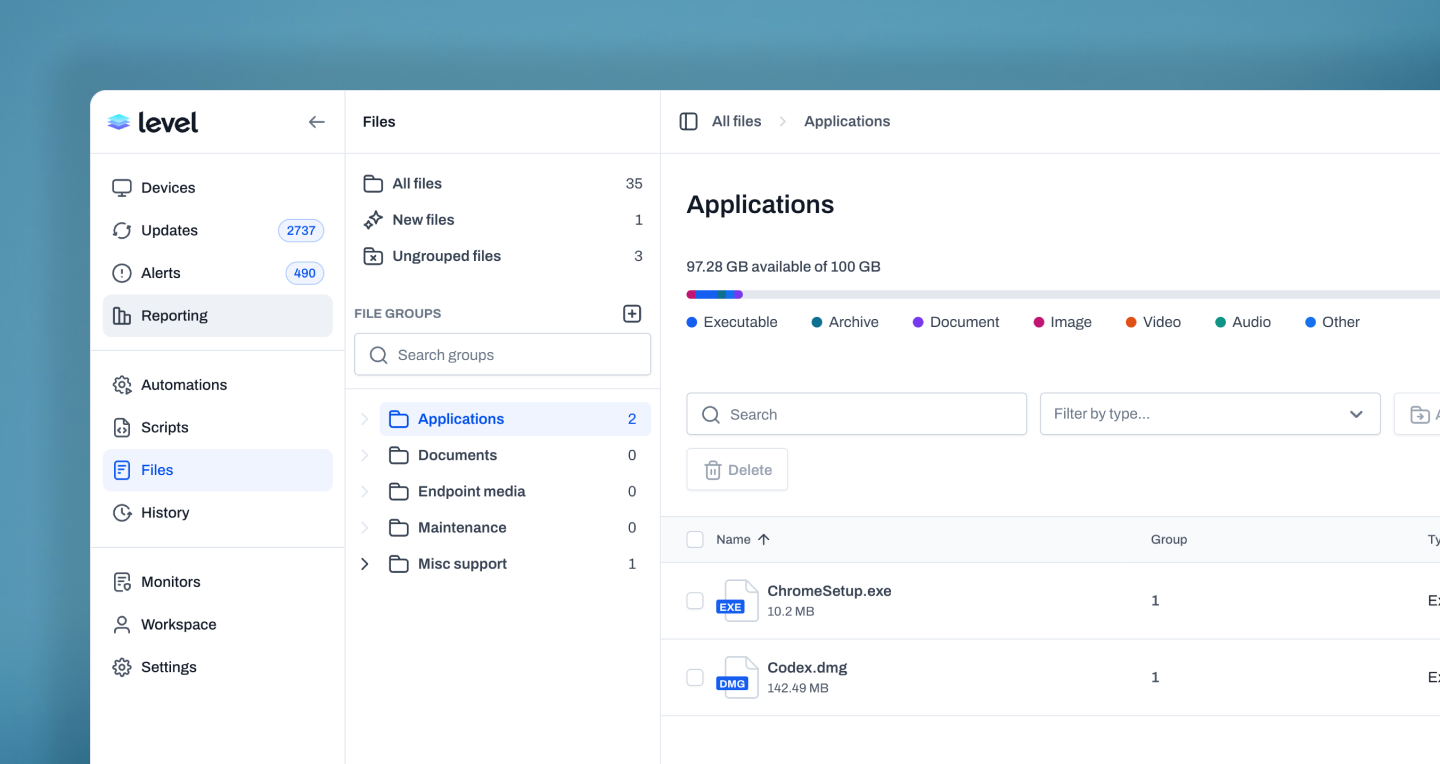
File repository groups
We've added File Repository Groups, making it easier to organize and manage files stored within Level. Similar to device groups, script groups, and automation groups, file repository groups provide a structured way to categorize files and keep repositories organized as they grow. Administrators can create custom groups and sort files into logical collections, making it easier to locate resources, manage large repositories, and maintain consistency across teams. As repositories expand, groups help keep files organized and accessible without sacrificing simplicity.
Improvements
- Role permissions can now control access to ungrouped devices, automations, and scripts, giving teams more control over who can see items that haven’t been assigned to a group.
- WinGet package actions now use Windows Package Manager’s native COM interface, giving Level better access to package, source, and installer state during installs, upgrades, and uninstalls. This improves progress reporting, source handling, package detection, and feedback when an installer appears to require interaction.
- Automation run history can now be filtered by start date.
- Automation run details now show live variable values during a run and preserve them afterward for review.
- When creating variables from script and automation fields, Level now inserts the new variable directly where you were working.
- Automation conditions for groups and tags now keep selected items at the top, making long lists easier to review and edit.
- Table filter menus now keep selected filters visible even when they are no longer part of the current results, making them easier to review or remove.
- Long names in tree selectors now truncate cleanly and still show tooltips.
- WinGet package actions now detect installers that open an interactive window instead of running silently, giving the Level user clearer feedback about why the package action is waiting.
- The public API now exposes automations, automation webhooks, and automation run status, including optional step output details when polling a run. Useful for programmatically triggering a webhook automation and then monitoring the status of the run.
- New agent installs now register faster on Windows, macOS, and Linux by sending OS details during registration, so Level can enable platform-specific behavior sooner.
- Connection monitor alert payloads now include device IP addresses for faster troubleshooting.
- Remote file downloads now transfer more reliably and with better throughput.
- Remote sessions now handle independent RTC requests in parallel, improving responsiveness during file browsing and file transfers. File uploads also handle cancellation more cleanly.
Bug fixes
- Fixed a regression in the new WinGet integration where resetting sources could remove customer-added custom sources.
- Fixed a connection-monitoring edge case where devices could wake with stale DNS or network state, improving agent recovery after sleep and wake cycles.
- Windows ARM64 agents now handle file version checks correctly during installation.
- Tables now retry transient loading failures and show clearer error states when data can’t be loaded.
- Script and shell actions now fail when variable assignment fails, instead of continuing with missing or stale values.
- Script monitors now stagger and retry launches, reducing failures when several script monitors start around the same time.
- Event Log monitors now prune expired events more reliably.
- Fixed a bug that caused Windows Server devices to sometimes be classified as Windows workstations for the security score.
- Run Script actions now let you clear all variable mappings without rebuilding the action.
- Windows end-of-life detection now accounts for the different support windows between Home/Pro and Enterprise/Education editions.