
Linux remote control and global updates refresh
This update introduces Linux remote control and a more flexible updates experience.
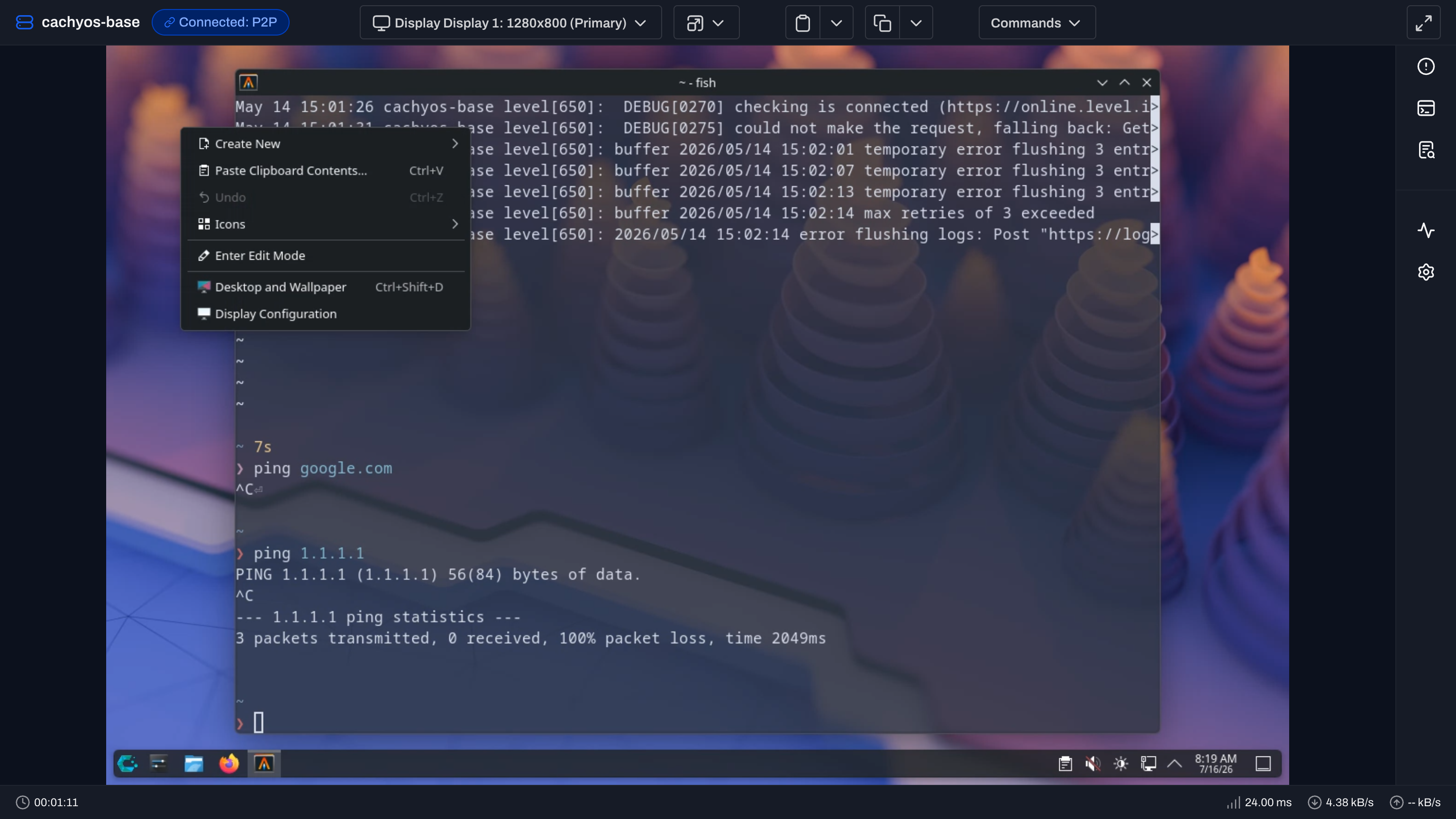
Linux remote control
We’re expanding Level’s remote control capabilities with full support for Linux devices. Technicians can now connect to Linux endpoints directly from Level and provide hands-on support through the same familiar remote control experience already available for Windows and macOS. Linux desktops vary a lot, so we built support across the major graphical session types: Wayland and X11, with coverage for common environments like GNOME, KDE Plasma, XFCE, Sway, and COSMIC. Remote sessions include screen viewing, mouse and keyboard input, clipboard operations, display selection, and automatic stream handling when the active user session changes. This brings Linux endpoints fully into the Level remote support experience, giving teams one consistent place to troubleshoot and manage devices across every major operating system. It also removes the need to rely on separate remote access tools, helping technicians respond faster while keeping their workflows centralized in Level. Supporting remote control across Linux requires working across a wide range of desktop environments, display systems, and session types. This release represents a major expansion of Level’s cross-platform capabilities and brings a complete remote support experience to Linux fleets.
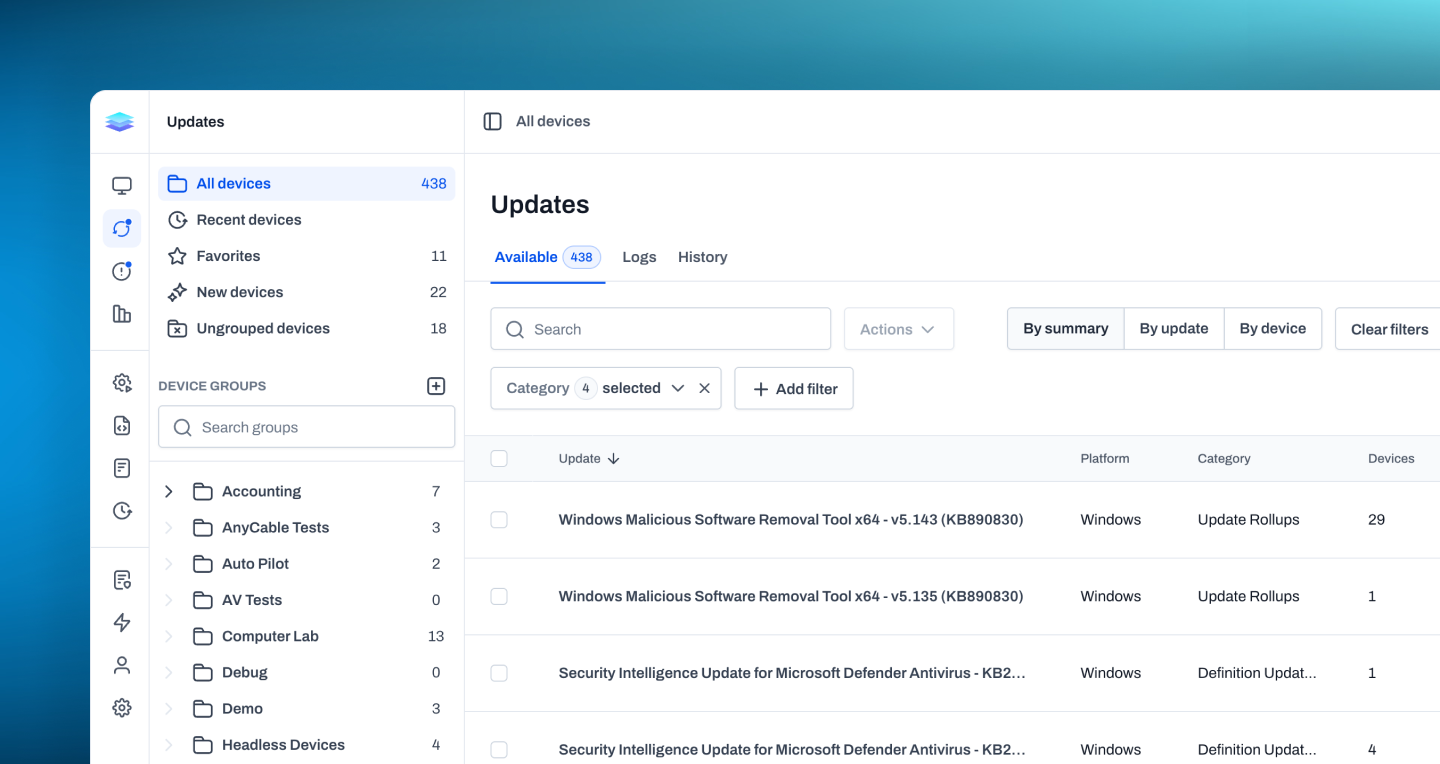
Global updates
We’ve overhauled the Updates page to make it easier to understand and manage available updates across your environment. Instead of relying on a single table where every update appears as a separate row for every device, you can now choose the view that best fits the task at hand. The new By Summary view groups devices that share the same update, giving you a clearer picture of how widely each update applies. By Device organizes updates around each endpoint, making it easy to review everything available for a specific machine. The existing By Update view remains available when you need the full device-by-device detail. With three ways to explore the same update data, you can move more quickly from a high-level overview to the individual devices that need attention, without sorting through unnecessary repetition.
Improvements
- Added Recents to the sidebar, making it easier to return to recently viewed devices, automations, and scripts.
- The public API now exposes activity entries with filters for category, source, and date ranges.
- Many slide-out panels can now be manually resized, making it easier to review longer details without losing context.
- Long-running automation actions now keep devices from entering idle sleep while installs, updates, downloads, scripts, and package actions are running.
- Device pages now show a maintenance banner when a device is in maintenance mode.
- CPU and memory monitor alert payloads now show more accurate top-process breakdowns and clearer “other processes” values.
- Device CSV exports now include custom field values for each device.
- Update installs will now show the name of the user who initiated a manual install.
- Level now detects and displays when an update may have been rolled back by the operating system.
- HaloPSA assets are marked inactive when mapped Level devices are deleted.
- Windows package actions now clean stale WinGet cache data before running.
- Team management now includes a Suspended tab, with the ability to restore access.
Bug fixes
- Windows remote control now handles session switching, sign-out, and re-login more reliably.
- Remote control fullscreen mode now keeps header menus working correctly.
- Remote control error states now remain visible above the video stream.
- Restart actions that require end user approval now proceed immediately when no user is logged in to the device.
- Windows service actions now correctly set services to Disabled instead of Manual.
- Windows serial number detection now falls back to baseboard serials when BIOS serials are blank or placeholders.
- Script variable mappings now stay matched to the correct variables even if the script’s variable list changes order, preventing values from being saved to the wrong variable.
- Replacing a file in the file repository will now show progress correctly and only complete after the replacement is actually saved.