
Applications and remote execution actions
This update adds remote execution and an Applications page for managing installed software across your environment.
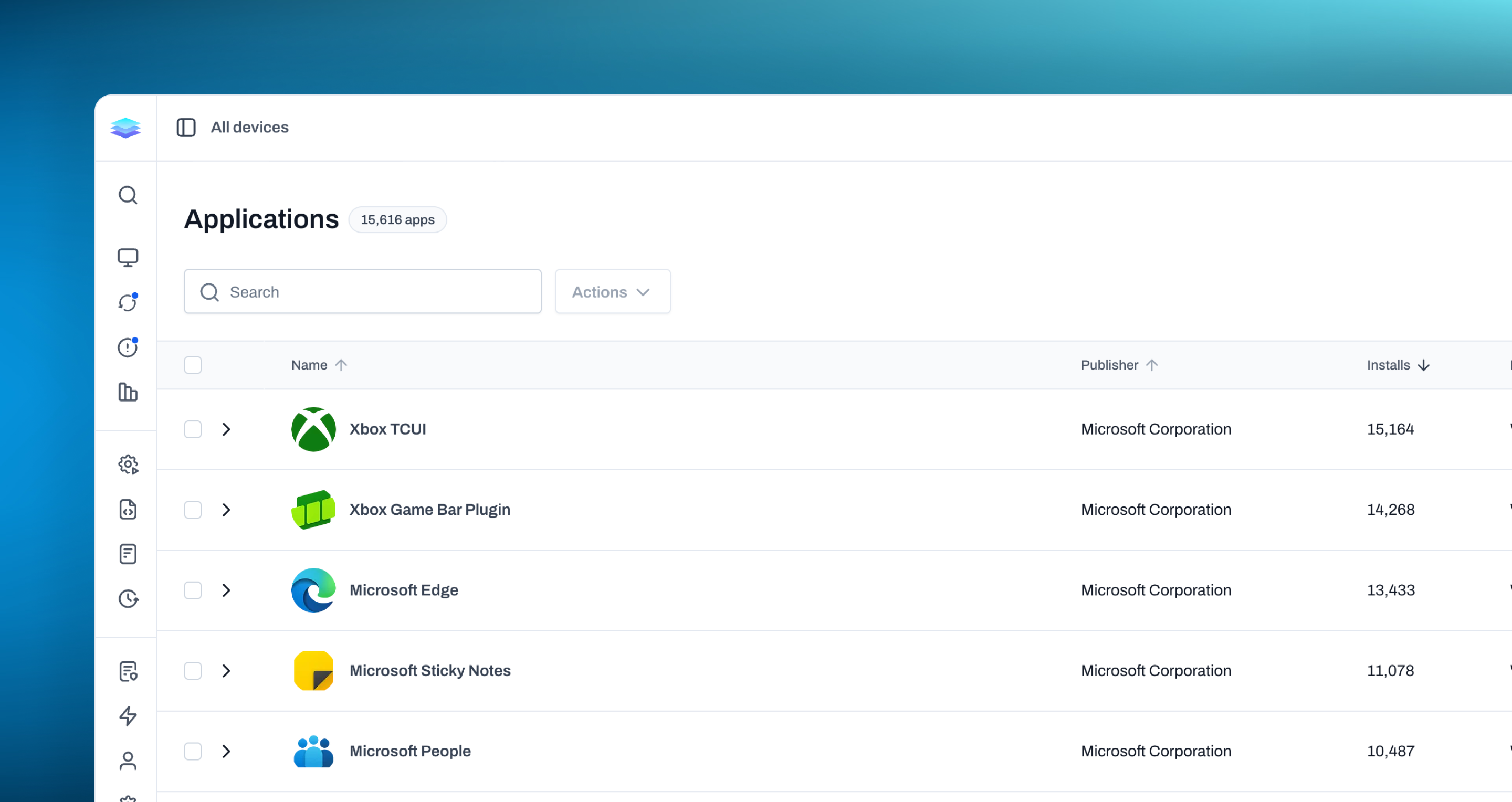
Applications
We’ve introduced a new Applications page that gives you a centralized view of the software installed across all of your managed devices. Instead of reviewing applications one device at a time, you can now search, filter, and explore your entire application inventory from one place. Each application is grouped into a single summary with its publisher, platform, and total number of installs. Expand an application to review the different versions in your environment and see where they’re installed, giving you a clearer picture of how software is distributed across your devices. You can also select applications, versions, or individual installs and take action on the affected devices directly from the page. Run an automation, start a new or saved script, or send an uninstall command without first tracking down each device individually. This makes the Applications page useful for both understanding your software inventory and acting on what you find.
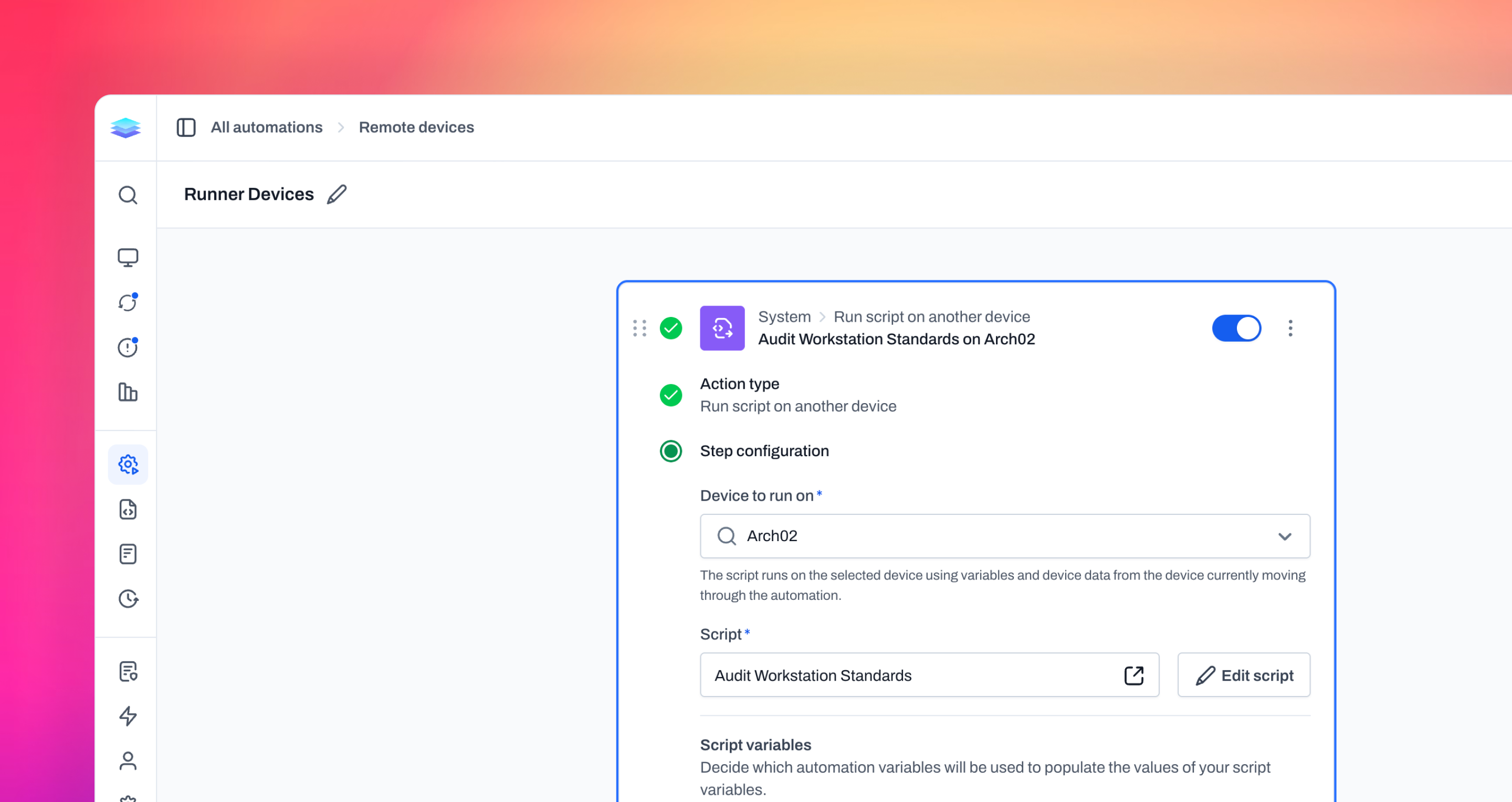
Remote execution actions
Automations can now run scripts and shell commands on another device in your environment. The new remote execution actions let you choose a specific device to perform the work instead of requiring the automation to execute everything on the device currently moving through the workflow. This makes it possible to use a dedicated device as a runner when an automation needs access to a particular environment, installed tools, or resources that may not be available on the original device. The execution can still use custom fields, system variables, and automation variables from the device running through the automation, so you can perform work elsewhere without losing the context that started the workflow. With remote execution, automations can handle workflows that previously depended on every endpoint having the same tools or access. You can centralize those requirements on known runner devices while continuing to build automations around the devices you actually want to manage.
Improvements
- Automation and script variables now include a System tab with a searchable reference for Level system variables, including descriptions, example values, and types.
- Command Palette results now behave more like normal links, including opening results in a new tab with Cmd/Ctrl+Enter.
- Agents now send fewer unnecessary system-information updates while still periodically reconciling device data.
- The Run new script panel now focuses the script name field automatically.
- Available update counts in group trees now load faster in large environments.
Bug fixes
- Tables now refresh more reliably after filters, scope changes, and live updates, reducing stale rows and dropped refreshes.
- Application inventory now clears outdated metadata when the agent stops reporting it, including source, size, version, and uninstall details.
- Windows remote control now handles Caps Lock changes and modifier keys more reliably, reducing cases where typed text changes case or menu shortcuts interfere with input.
- Table selection now behaves more predictably when using Show only selected, filters, pagination, and bulk actions.
- Script step details now keep their layout aligned when tabs are present.
- Users are less likely to be signed out unexpectedly during inactive-session refreshes, and Level now returns them to the page they were on after login recovery.
- Live-updated table rows now stay in the correct sort order when a change affects the active sort.
- Application inventory now handles unusually large application names, publishers, or version values without blocking the full inventory report.
- macOS failed-login detection now avoids repeatedly scanning large log windows, reducing agent timeouts on devices with lots of login history.