
Automation canvas and resolve alert action
This release puts automation front and center with a redesigned visual canvas, a new Resolve alert action, and the ability to pause workflows until offline devices reconnect.
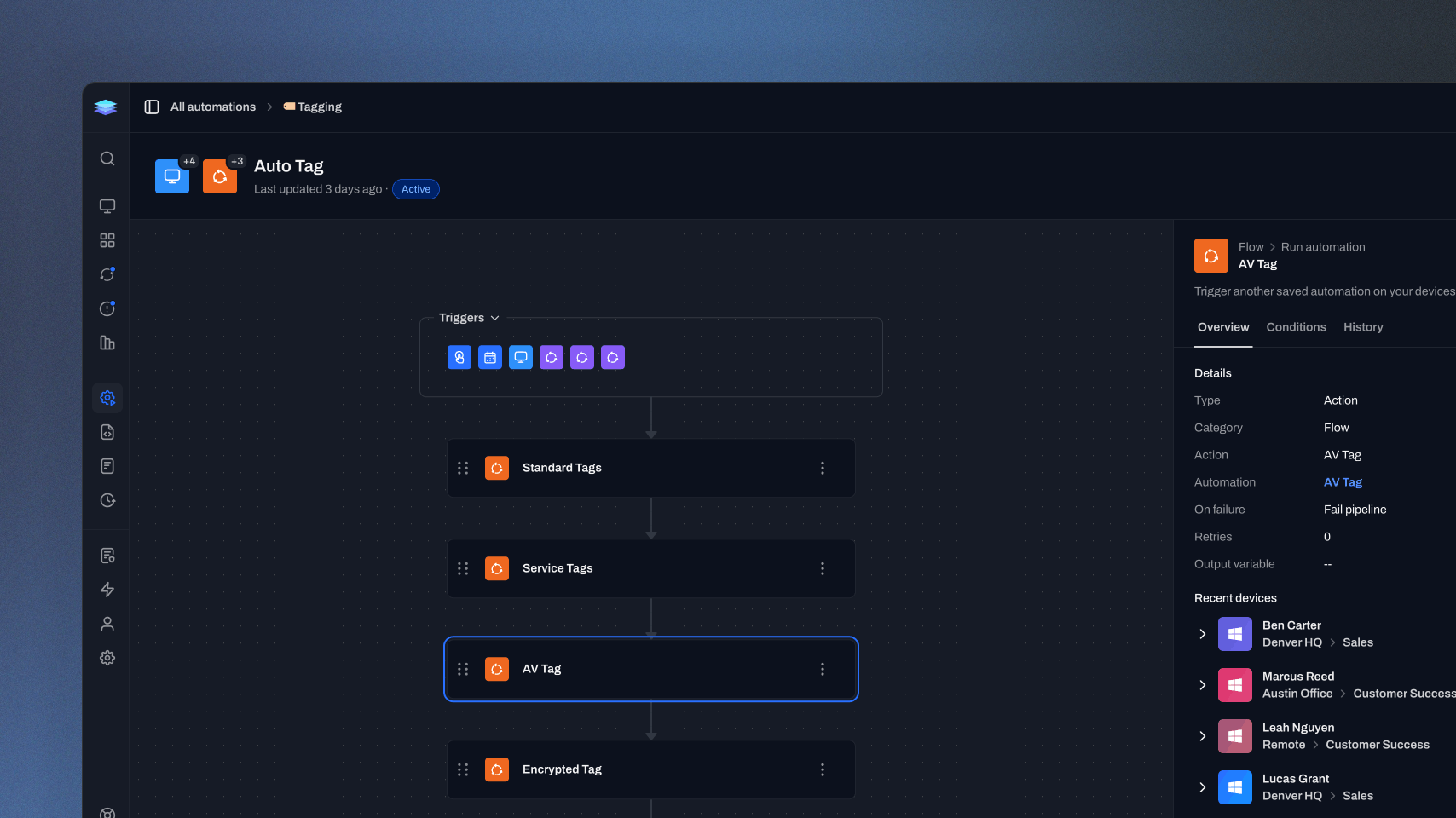
Automation canvas
We’ve redesigned the Automations experience around a new canvas that makes workflows easier to see, navigate, and manage. Automation steps are more compact, triggers are grouped into a collapsible section, and you can zoom and move through the pipeline using your mouse or keyboard. We’ve also changed how automation details are viewed and edited. Configuration forms no longer expand inside individual actions and triggers. Instead, selecting a step opens its details in a dedicated panel, where you can review its configuration or switch directly into editing. This removes the previous separation between view and edit modes while keeping the automation itself visible as you work. By giving the pipeline more room and moving configuration into focused panels, larger automations are easier to understand at a glance. You can see more of the workflow, move through it more naturally, and make changes without losing your place.
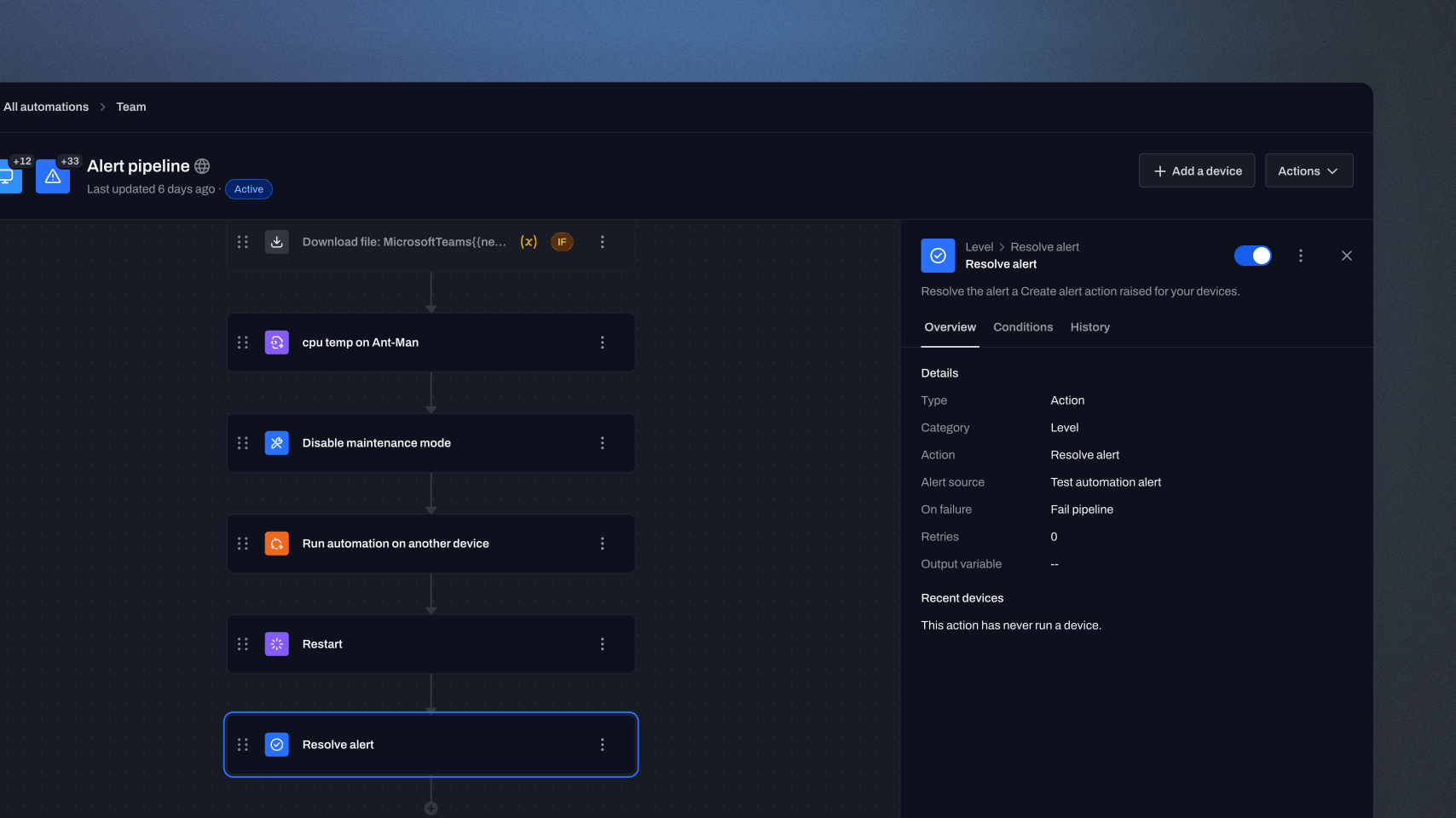
Resolve alert action
Automations can now resolve alerts as part of a workflow with the new Resolve alert action. Add the action to your automation and choose the alert source you want to resolve, along with any conditions or additional options needed for the workflow. This makes alert resolution another step that can be handled automatically alongside the rest of your automation. By resolving alerts directly from the workflow responsible for addressing them, teams can keep alert status aligned with the work their automations are already performing and reduce the need for manual cleanup afterward.
Improvements
- Added a "Wait for online device" action which can pause an automation while the device is offline and continue when it reconnects.
- Activity now records when applications are detected or removed from a device, plus who requested a manual uninstall.
- Admins can now control Level CLI access by role.
- Settings navigation is now grouped into Personal, Organization, and Tools sections.
- The Level CLI skill now gives AI assistants more detailed guidance on how Level works, with focused command references for automations, monitors, applications, updates, and more.
Bug fixes
- Alert lists now update immediately when devices enter or leave Favorites, New, or Ungrouped views.
- Update installation logs now respect date filters for installs still in progress and stay aligned with the selected device group.
- The By Device updates view now reflects changes to update counts and statuses without requiring a refresh.
- Uninstalling the Level agent on Windows now works on devices with restricted service manager permissions.
- Linux devices now report encrypted root volumes correctly even when the volume uses a generic device-mapper name.
- Install Updates automation actions now always honor the Loop Until Complete setting.
- Fixed a regression that could run Run as Current User scripts and commands under the system account.
- Level CLI file uploads no longer duplicate the file extension when no custom name is supplied.
- Automation group trees now keep folders collapsed when you switch between groups.
- Scripts and processes run as the current user on Linux now receive the expected user environment, including the home directory and PATH.
- macOS disk alerts now include writable HFS+ volumes.
- Linux remote control can now recognize X11 sessions without a physical seat, including xrdp sessions in containers.
- Remote sessions are less likely to fail at startup when connection information arrives before the session is ready.
Feedback delivered in this release
Follow the requests that helped shape this update.