
Remote control zoom and navigation
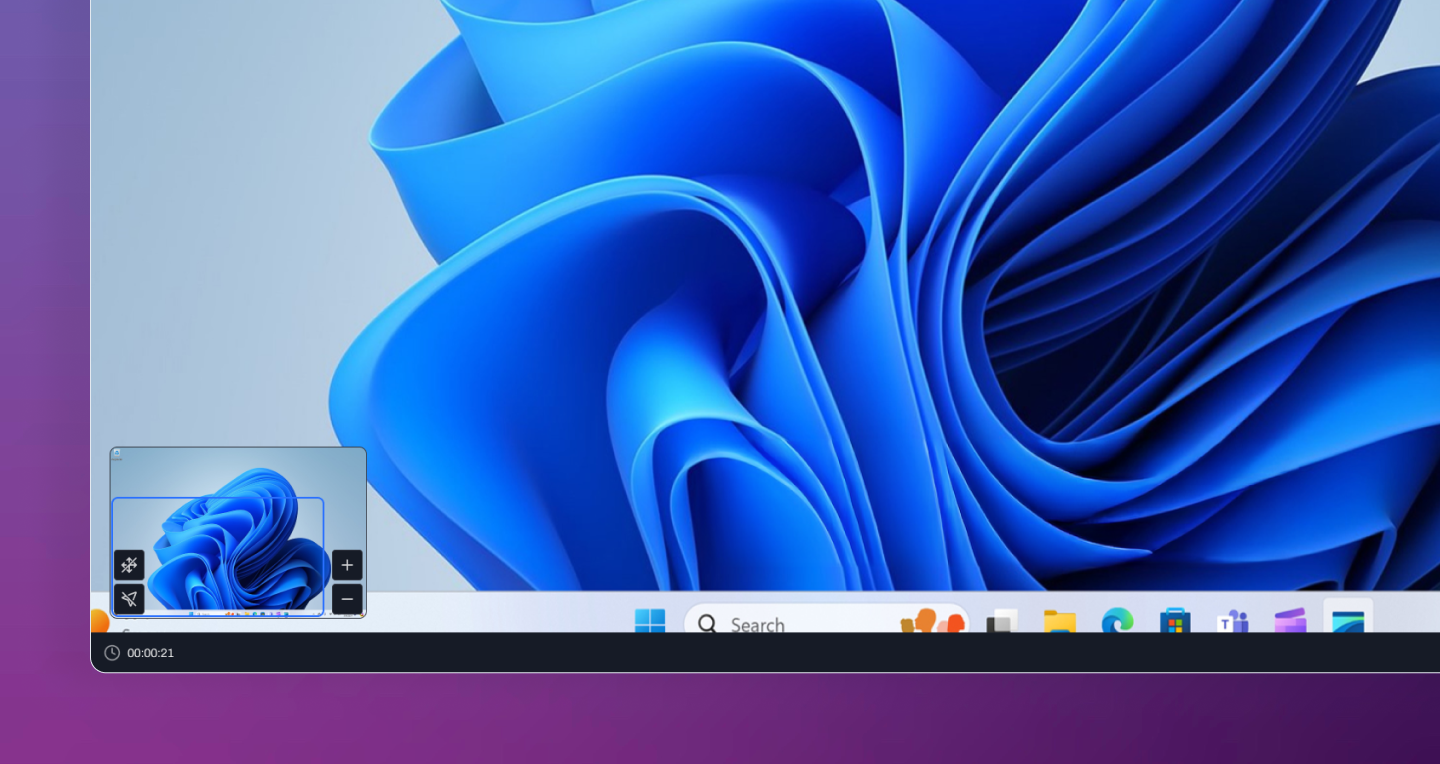
Remote control zoom and navigation
Remote support is now more comfortable on high-resolution and ultrawide displays with the addition of zoom and navigation controls. You can zoom in on remote sessions to inspect fine details without sacrificing visibility across the rest of the screen. When zoomed, Level provides intuitive panning controls along with a minimap that helps you quickly navigate around the remote desktop. Whether you're reviewing dense applications, working across multiple windows, or supporting devices with very large displays, moving around the screen is fast and effortless. These new controls make remote sessions more precise and easier to manage, giving technicians a better experience when working on devices of any size or resolution.
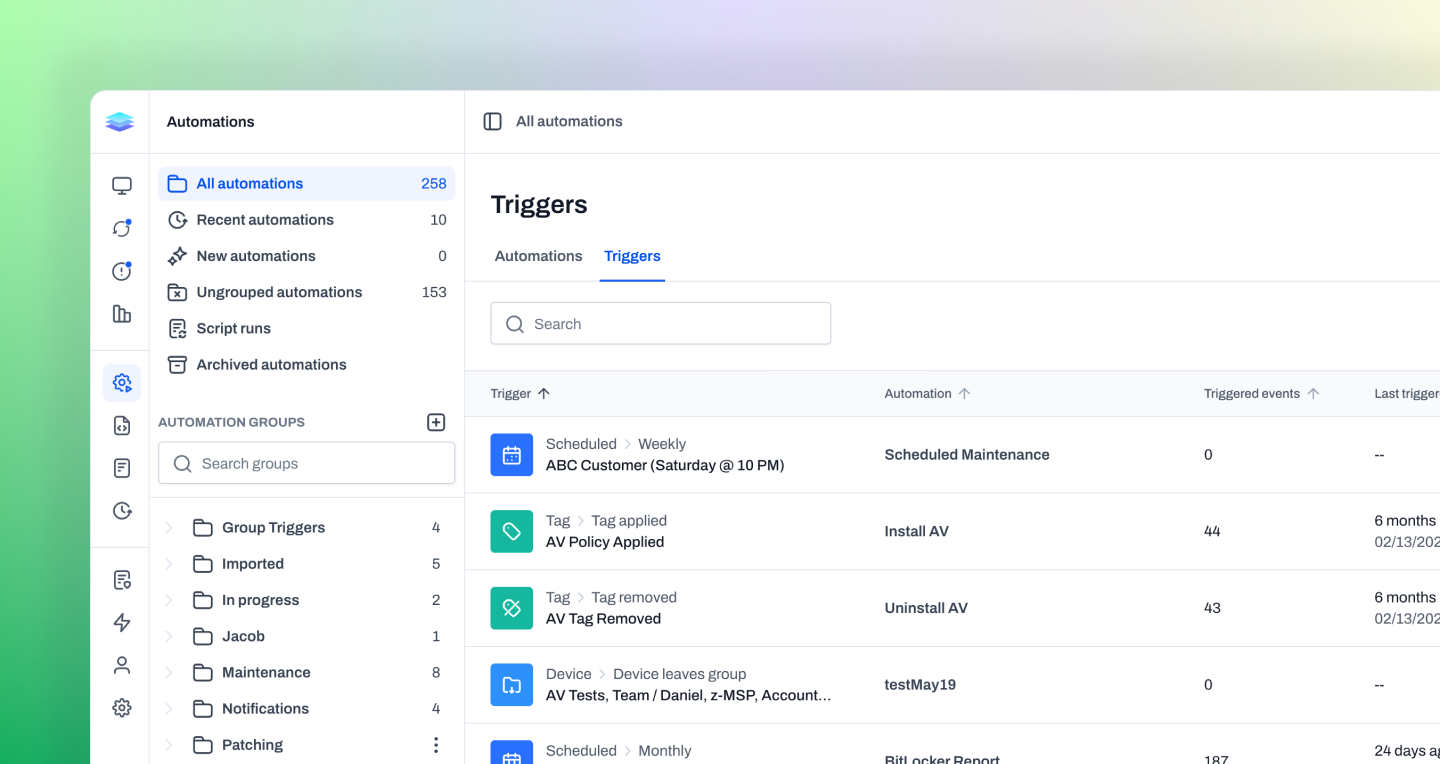
Automation triggers view
Managing automations just got easier with the new Triggers view. Instead of browsing automations one by one, you can now see every trigger across your organization in a single, sortable view. The Triggers tab displays each trigger alongside key information such as how many times it has fired and when it last ran. This makes it easy to identify your busiest triggers, verify that important workflows are running as expected, and quickly locate the triggers you're looking for. By organizing automations from the perspective of what starts them, this new view provides greater visibility into your automation ecosystem and helps simplify day-to-day management.
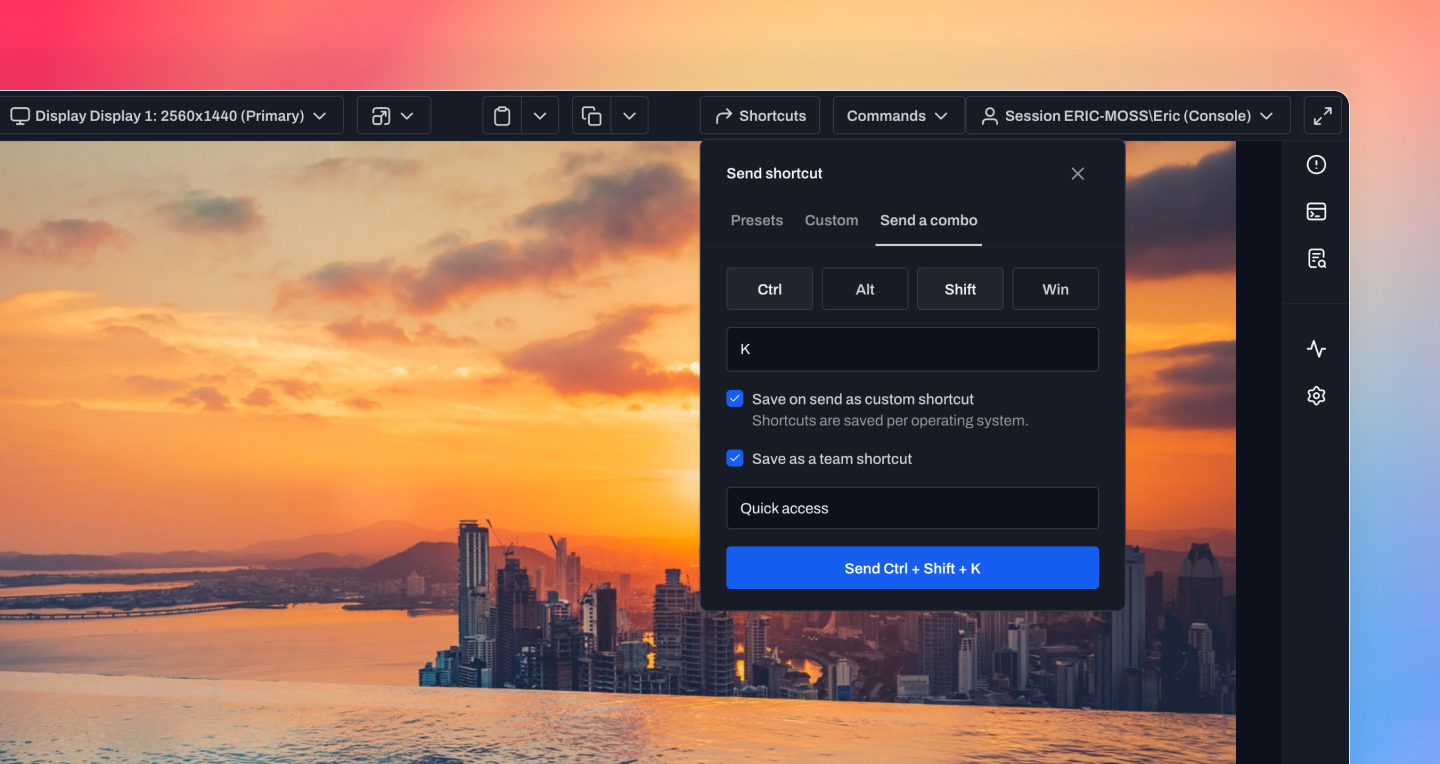
Remote control shortcuts
We've introduced a new shortcuts menu for Remote Control that makes it easy to send keyboard combinations to the remote device, even when your local operating system would normally intercept them. The shortcuts menu includes built-in presets for Windows, macOS, and Linux, along with support for one-time key combinations, personal saved shortcuts, and team-wide shortcuts. Each operating system maintains its own set of relevant shortcuts, making it simple to work across mixed environments. With quick access to common keyboard combinations and reusable shortcuts, technicians can navigate remote devices more efficiently while avoiding conflicts between their local machine and the endpoint they're supporting.
Improvements
- Automation IF conditions can now be hovered to see a preview in place. You can see the conditions behind a step without opening the full trigger or step configuration.
- Run Script actions now make it easier to get to the underlying script from an automation, including script names, group breadcrumbs, and direct links into script details/editing.
- Scripts and automations now have more built-in device system variables, including online status, maintenance mode, restart-required status, manufacturer, model, and first-seen time.
- Windows application inventory now includes MSIX/AppX apps, using stable Display IDs that application monitors can match against.
Bug fixes
- Remote control clipboard operations no longer hang indefinitely when the clipboard owner is unresponsive, and Windows/macOS clipboard errors now return clearer feedback.
- Bulk update installs on the new summary view no longer default to requesting a reboot unless rebooting is selected.
- Email report actions now preserve line breaks and indentation in report bodies.
- Tag selector searches no longer conflict with nearby table or page search state.
- Remote control error overlays remain readable above the video stream.
- Agent recovery restarts now wait for active remote control sessions to finish, reducing interruptions during connection recovery.
- SMS actions can use variable-driven phone numbers more reliably. The form no longer rejects variables up front, and the resolved number is validated when the action runs.
- Script edits no longer remain marked as unsaved after a successful save.
- Roles granted access to a nested automation or script group now keep the required parent group access.
- Windows remote control notifications no longer steal focus from login screens or password fields.
- Actions now retry temporary local database write contention before failing, reducing avoidable action failures when the device is busy.
- CSV exports now open more reliably in spreadsheet apps when exported data includes non-ASCII characters. This applies to device, alert, and automation run CSVs.